



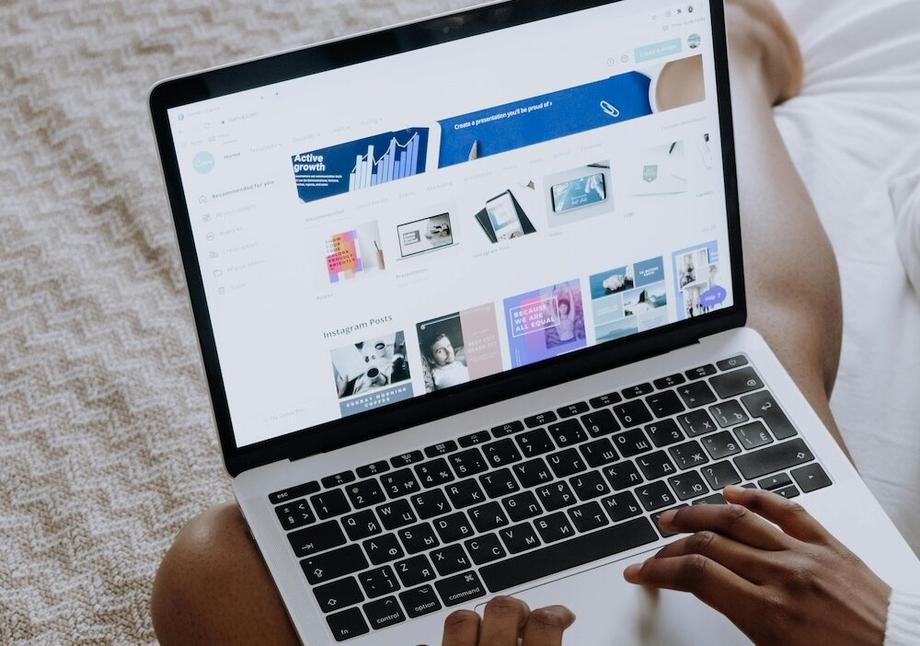
We’re here to simplify the process for you with a list of our 20 favorite CPRW-approved resume templates from Canva (and they’re all free):
The best resume templates for 2025
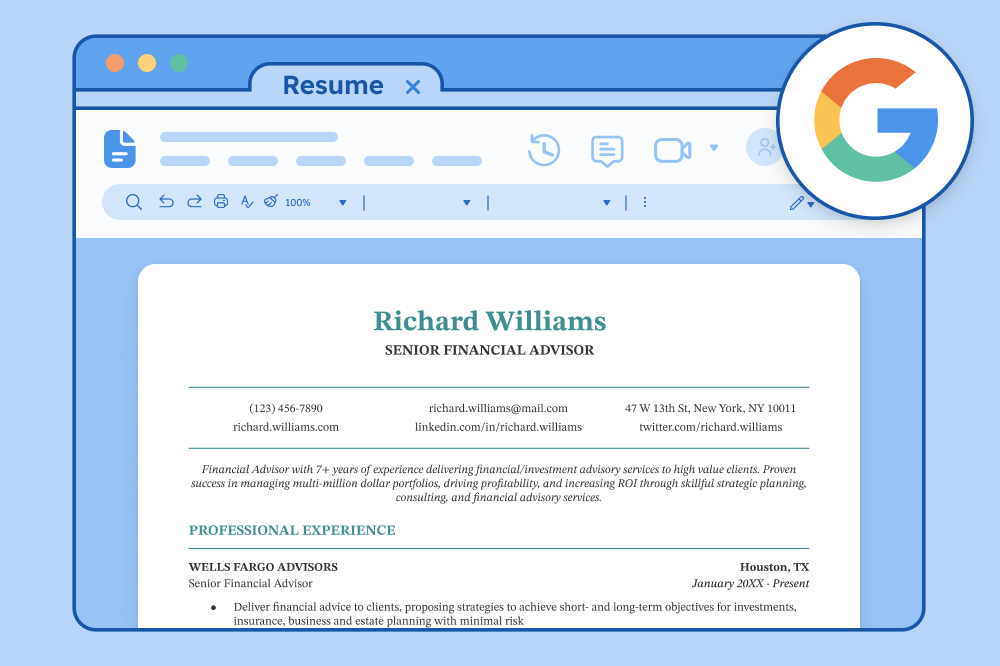
One of the best ways to make your resume is by filling out one of our free resume templates. All our templates are designed by experts and free to download for Microsoft Word or Google Docs.
20 of our favorite resume templates on Canva
We’ve rounded up 20 of the best Canva resume templates that combine style with professionalism.
1. Black and white simple minimalist resume
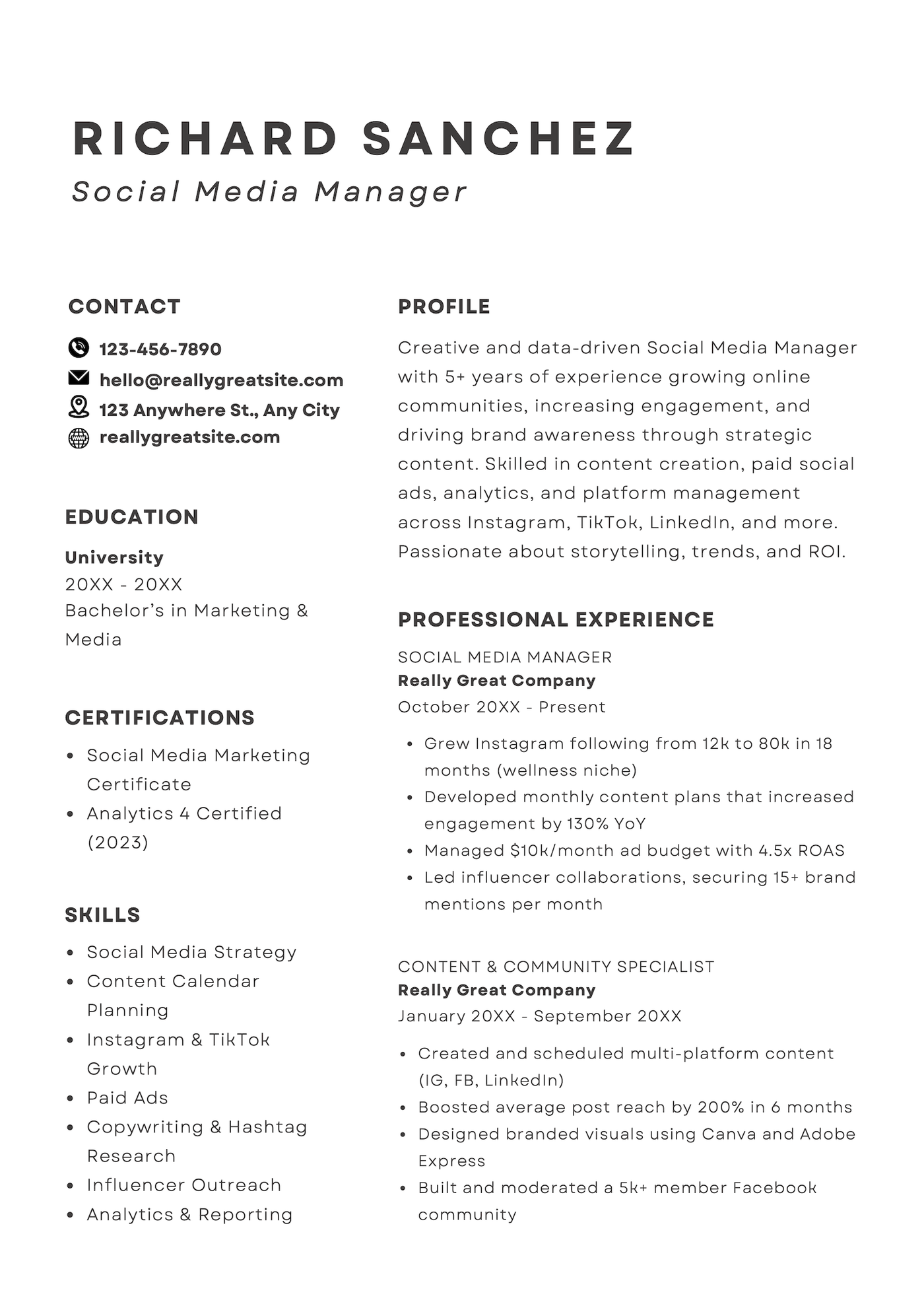
What we like about this template:
- The clean, two-column layout makes it easy to read and keeps the focus on your experience
- A dedicated certifications section lets you showcase industry-specific credentials
- Modern icons in the contact section add a stylish, contemporary touch
2. Gray and white simple resume
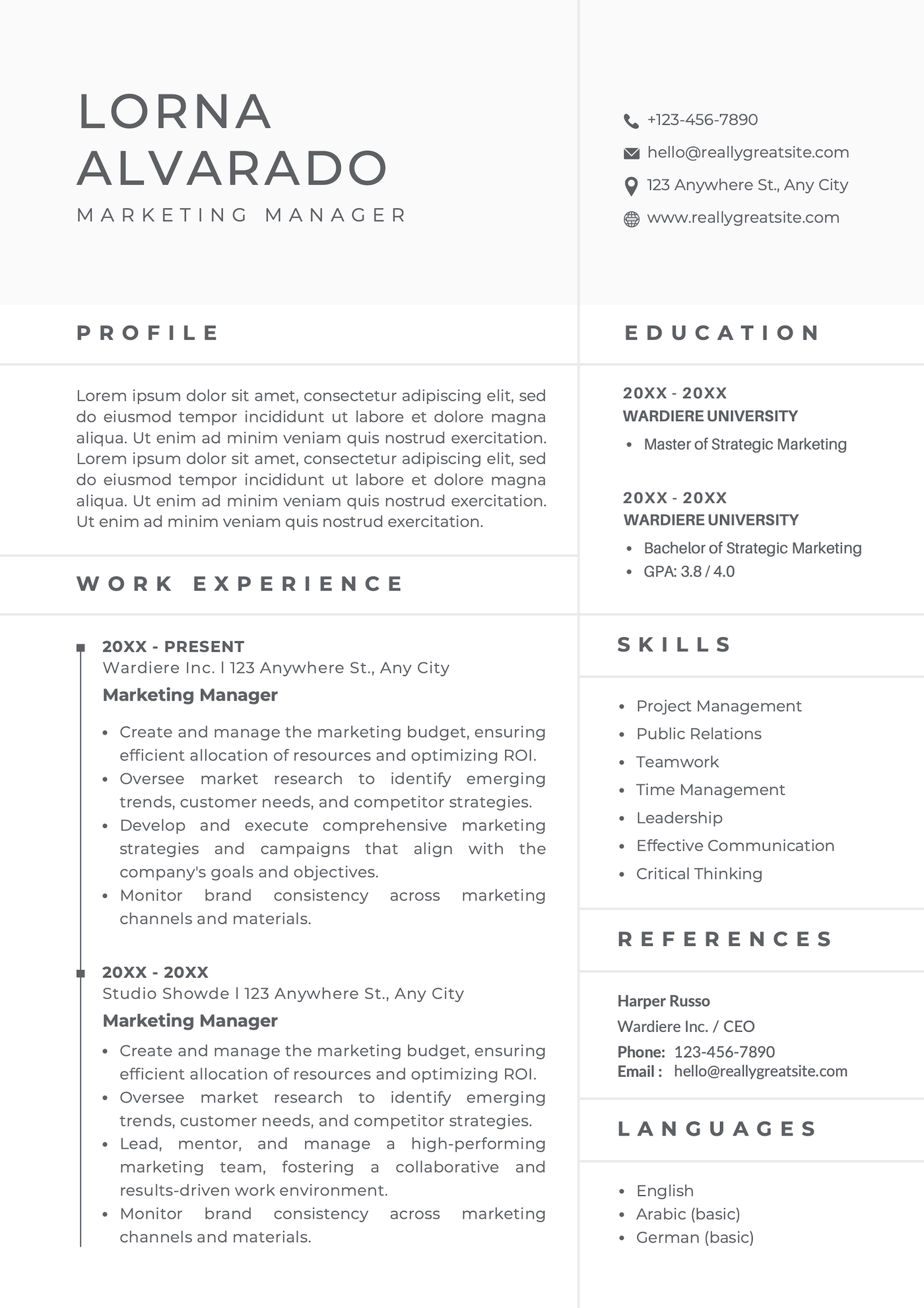
What we like about this template:
- The use of horizontal and vertical lines creates a clear, well-organized structure
- Extra sections provide flexibility, allowing you to customize the resume to your needs
- The timeline design in the work experience section visually highlights your career progression
3. Black and white minimalist resume
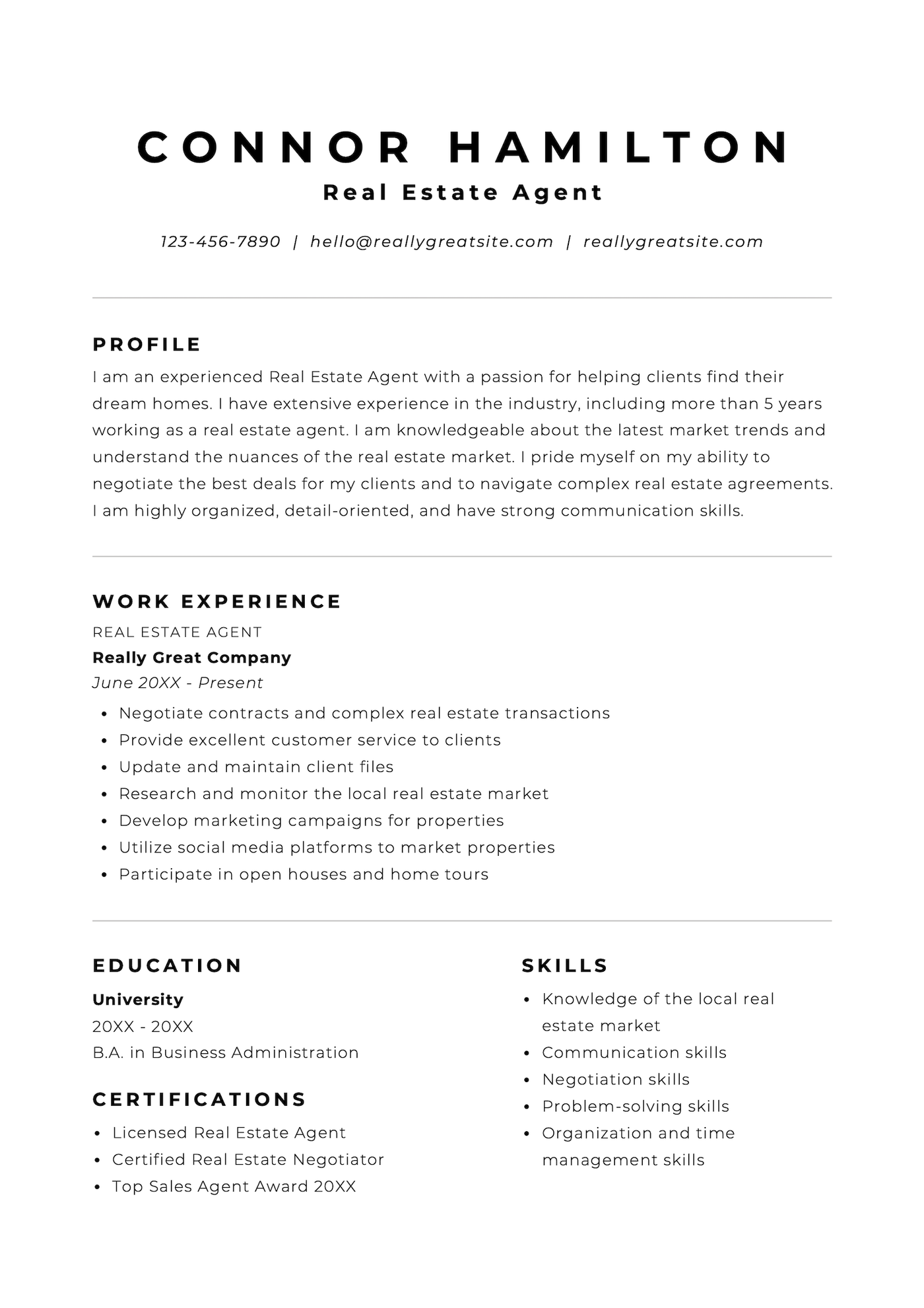
What we like about this template:
- A spacious, minimalist layout makes it easy to scan
- Perfect for students or early-career professionals with limited work experience
- Includes a dedicated section for highlighting your relevant certifications
4. White and black simple style resume
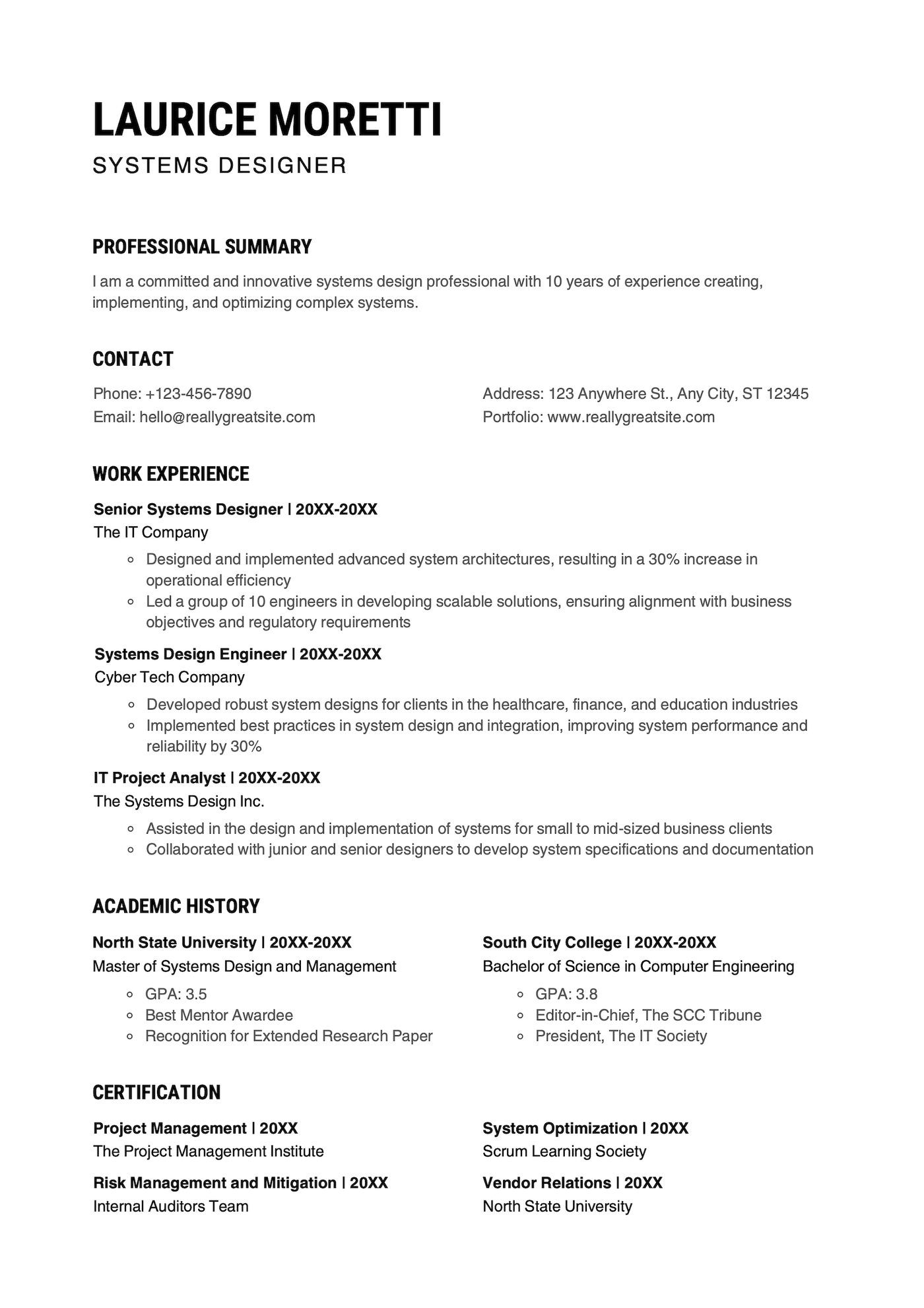
What we like about this template:
- A mix of single- and two-column sections maximizes space without feeling cluttered
- Uses an ATS-friendly resume design to help companies easily process your application
- A dedicated certifications section lets you highlight your credentials
- Modern fonts give the design a contemporary look
5. White and black simple resume
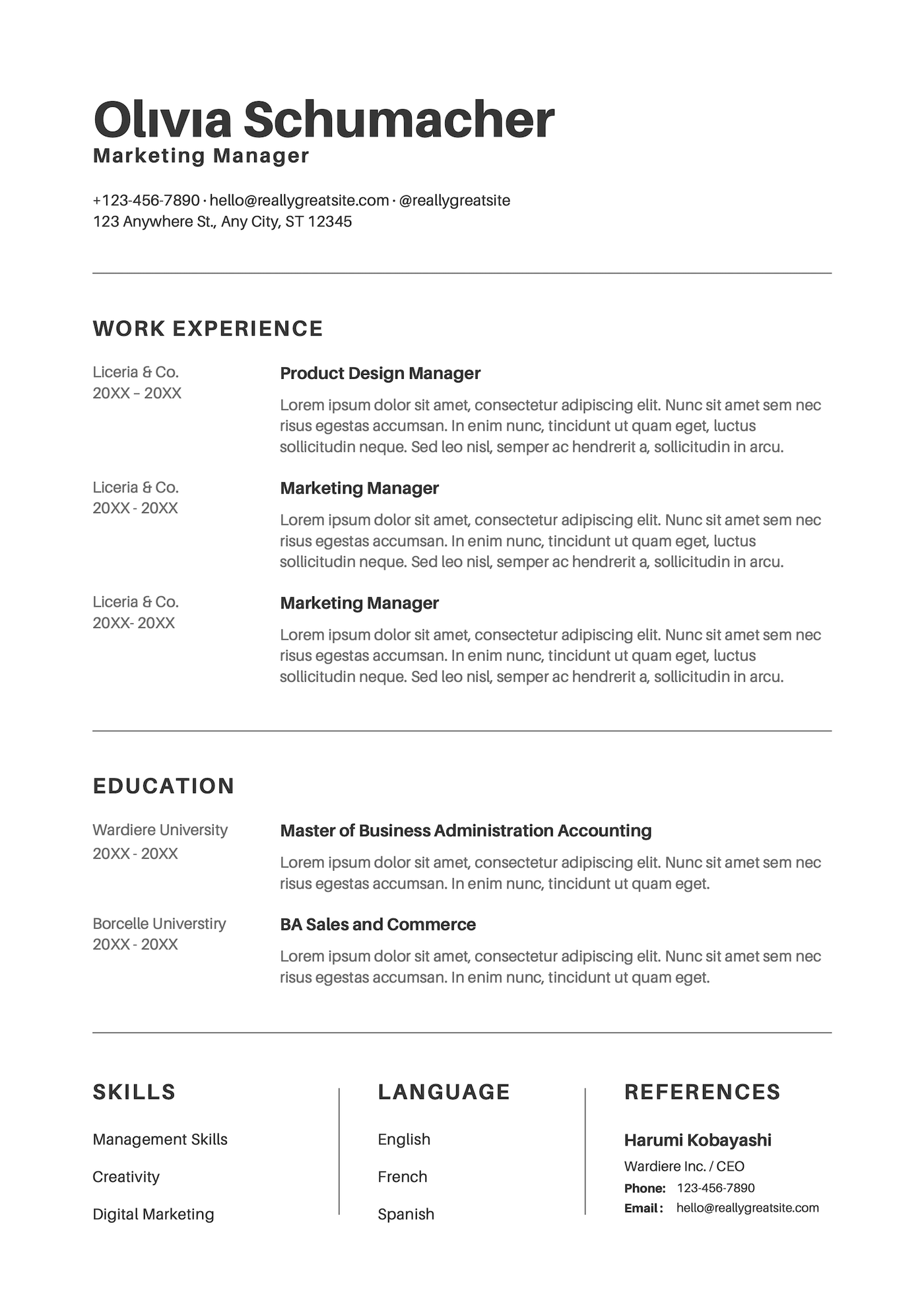
What we like about this template:
- A sleek, simple layout makes it easy for the eye to follow
- Work experience is featured at the top for maximum impact
- Additional sections provide flexibility for customization
6. Black and white simple infographic resume
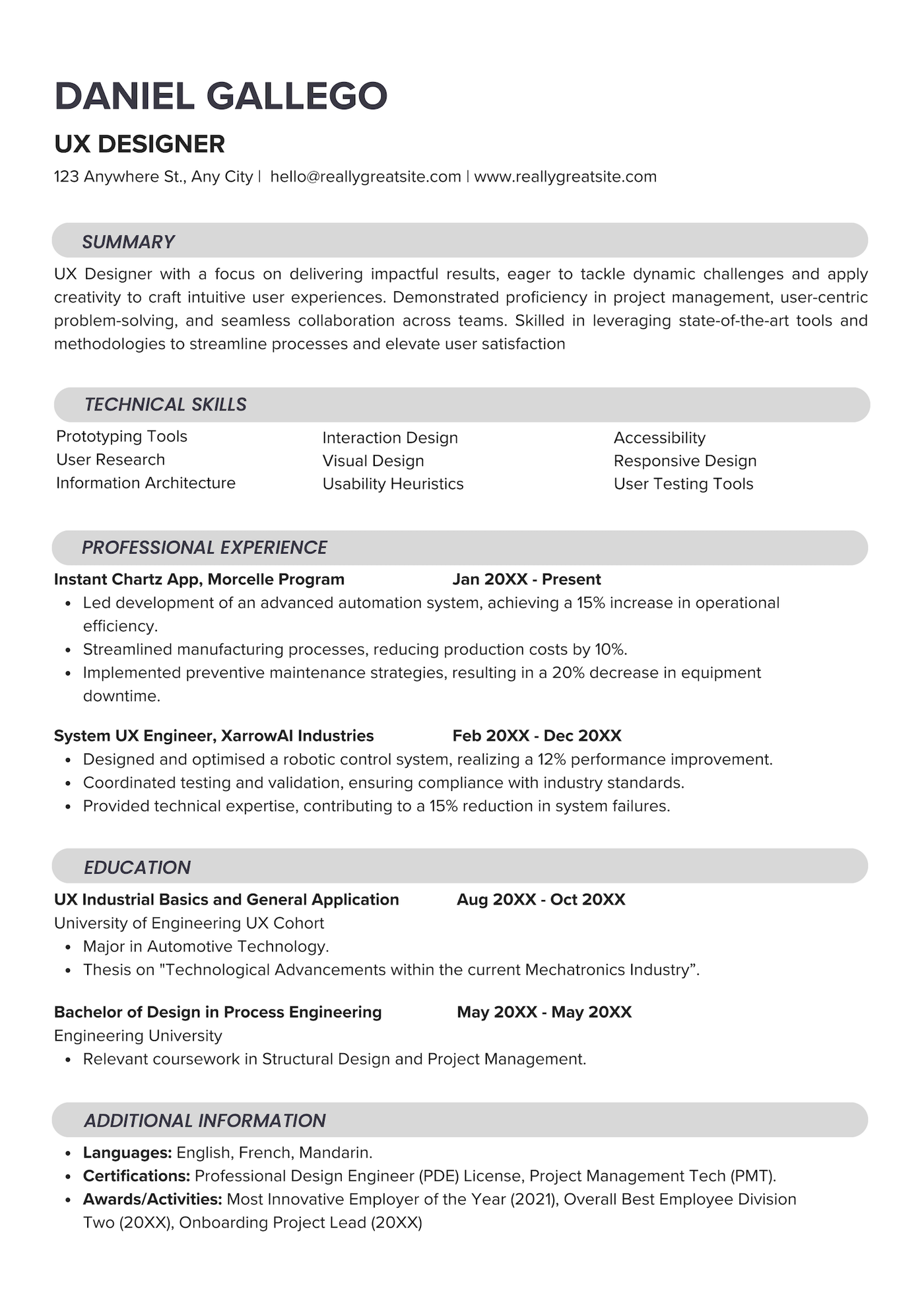
What we like about this template:
- Bold section headers provide a clear structure and a modern touch
- The single-column layout is ATS-friendly
- Efficient use of space keeps the page clean and uncluttered
- Technical skills are highlighted near the top, which makes it ideal for technical roles
7. Simple green lined resume
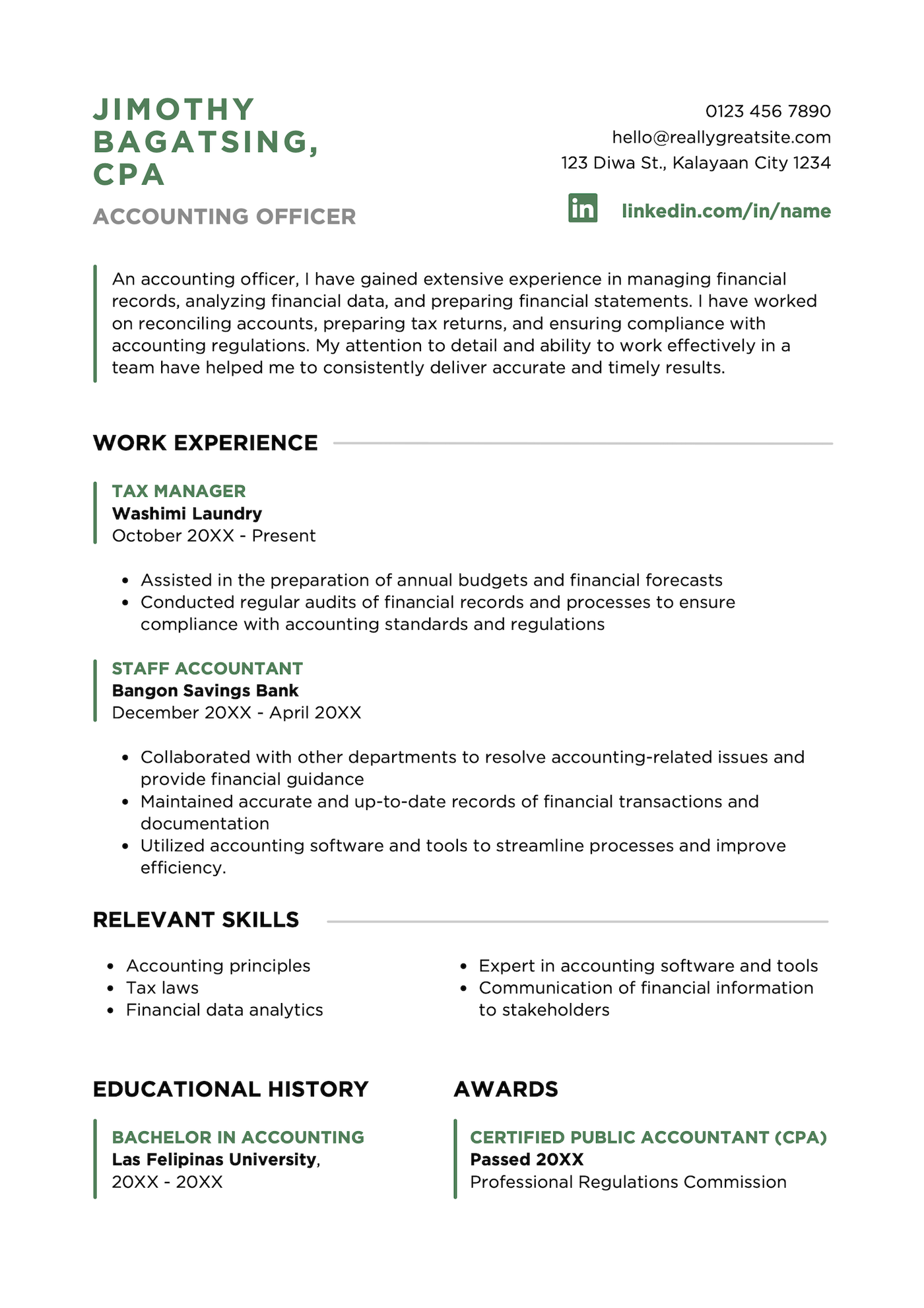
What we like about this template:
- Green accents make the resume stand out while emphasizing key credentials such as job titles, degree, and awards
- A LinkedIn icon draws attention to the candidate’s professional profile
- An awards section highlights notable professional accomplishments
8. Olive sidebar resume
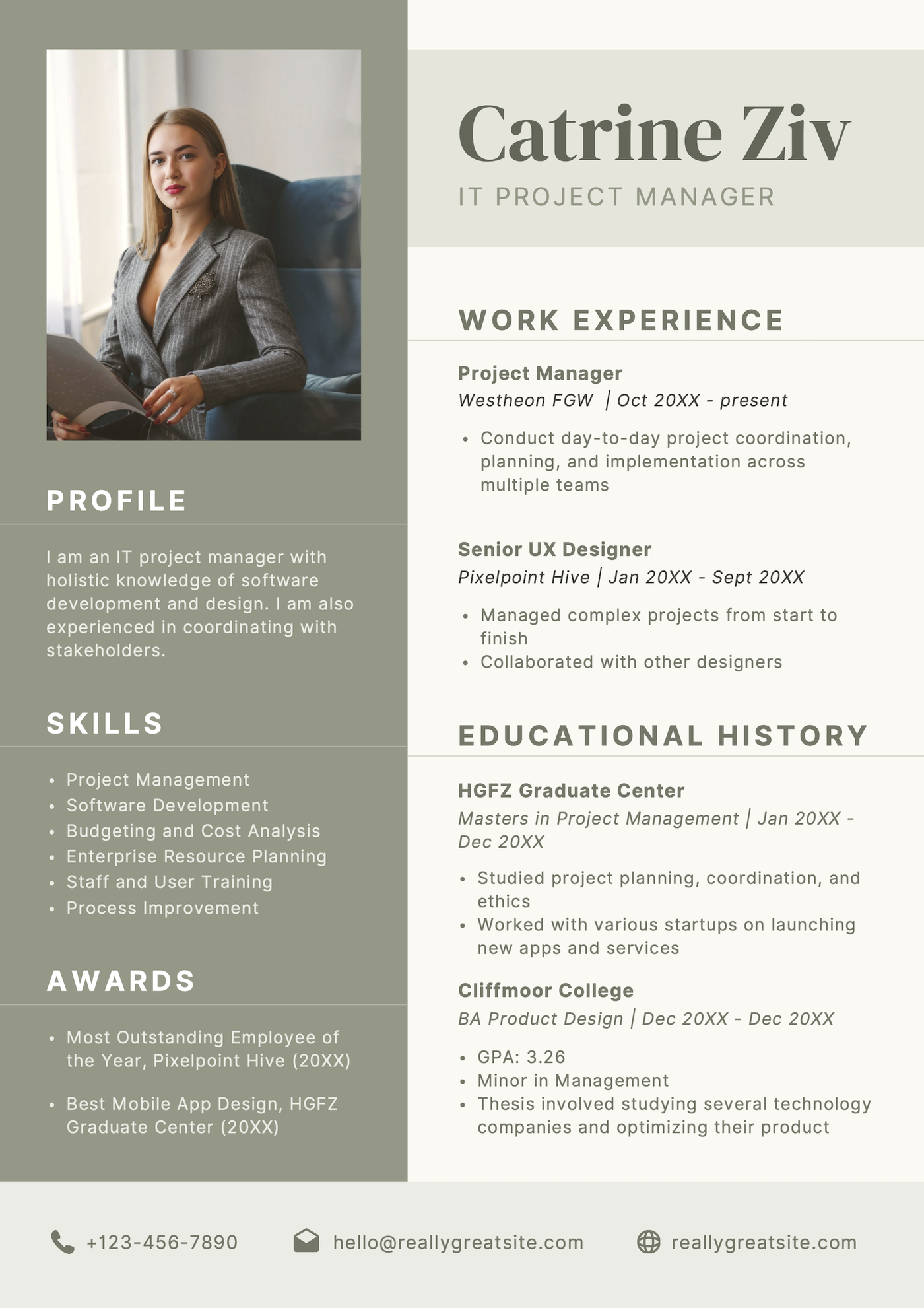
What we like about this template:
- Deviates from traditional designs with a modern, sophisticated color palette
- Education is prominently featured, which is ideal for students or recent graduates
- Includes an awards section to highlight the candidate’s academic achievements
If you live in North America, it’s best not to use a picture on your resume because of hiring practice laws. However, if your industry requires it or you’re applying in a country where it’s common practice, then it’s fine to opt for a template with a professional photo.
– Eva Chan, Certified Professional Resume Writer
9. Purple and white professional resume
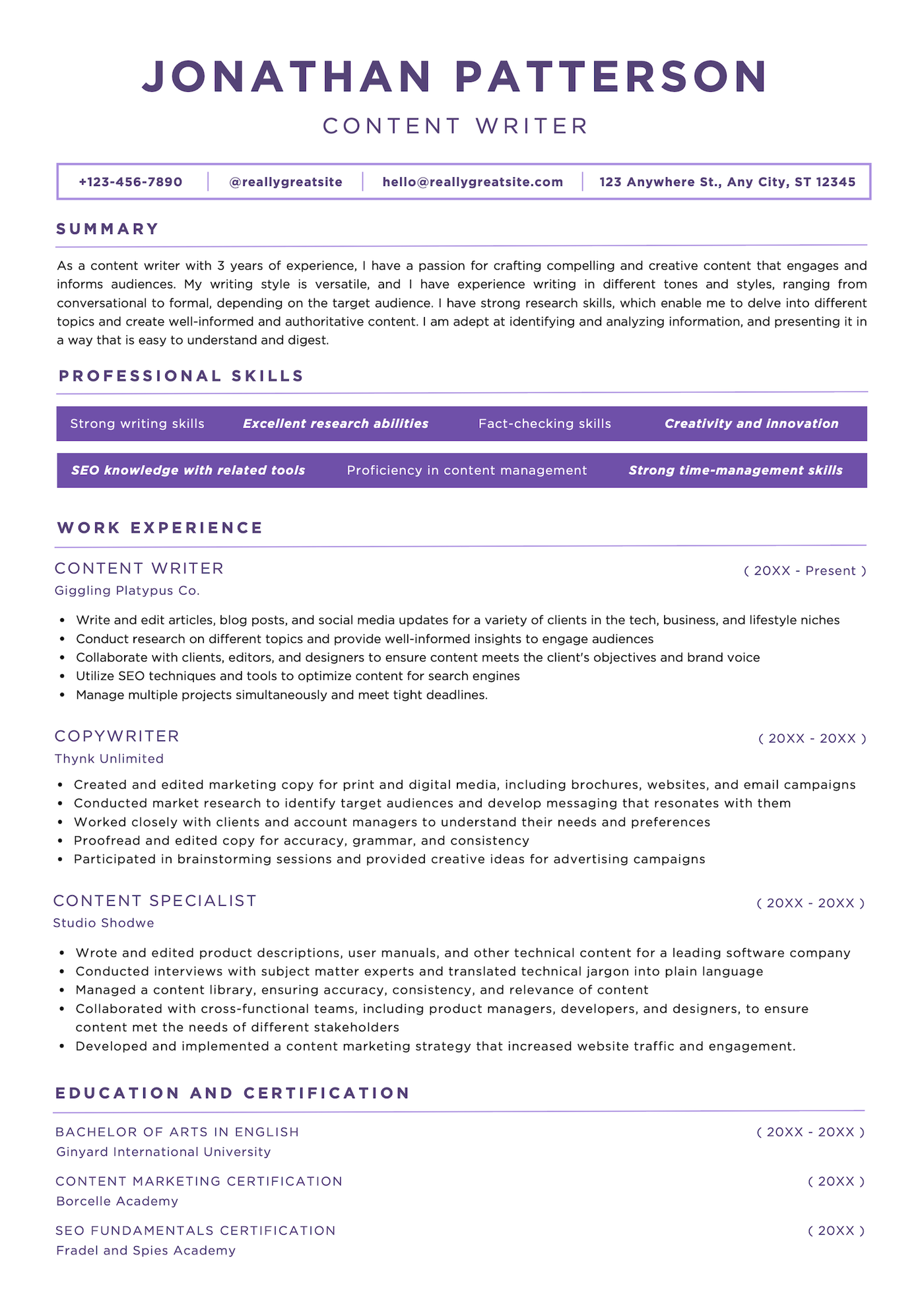
What we like about this template:
- While the content is the star of this template (perfect for a writing role), strategic use of color and bold text boxes breaks up the text and adds visual appeal
- The straightforward, ATS-friendly layout ensures easy readability
- Maximizes page space without looking cluttered
10. Black and white simple style resume
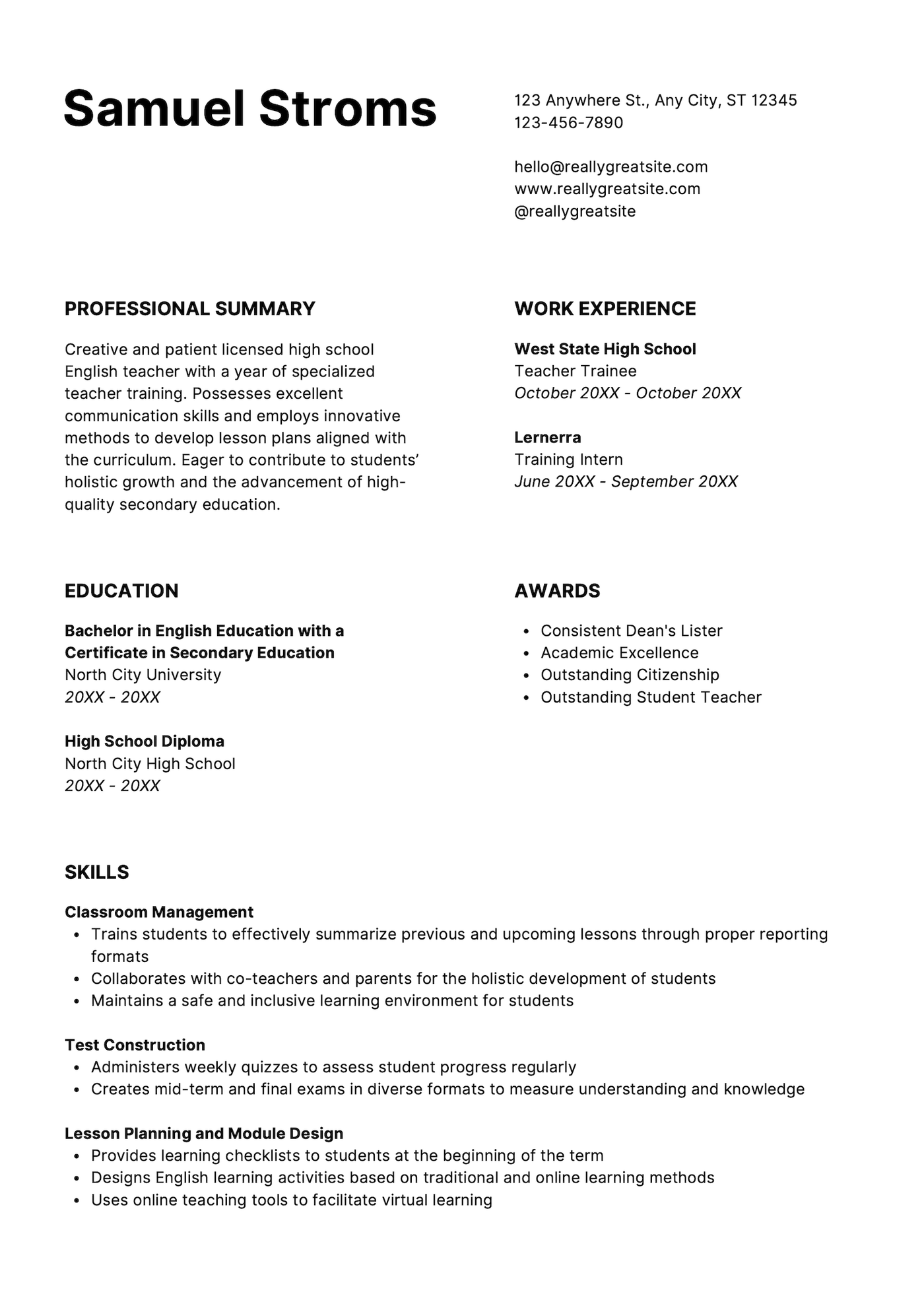
What we like about this template:
- Great for creating a functional resume focused on skills rather than work experience
- Features a simple, clean layout that’s easy to read
- Space under the header makes your name stand out
11. Black and white corporate style resume
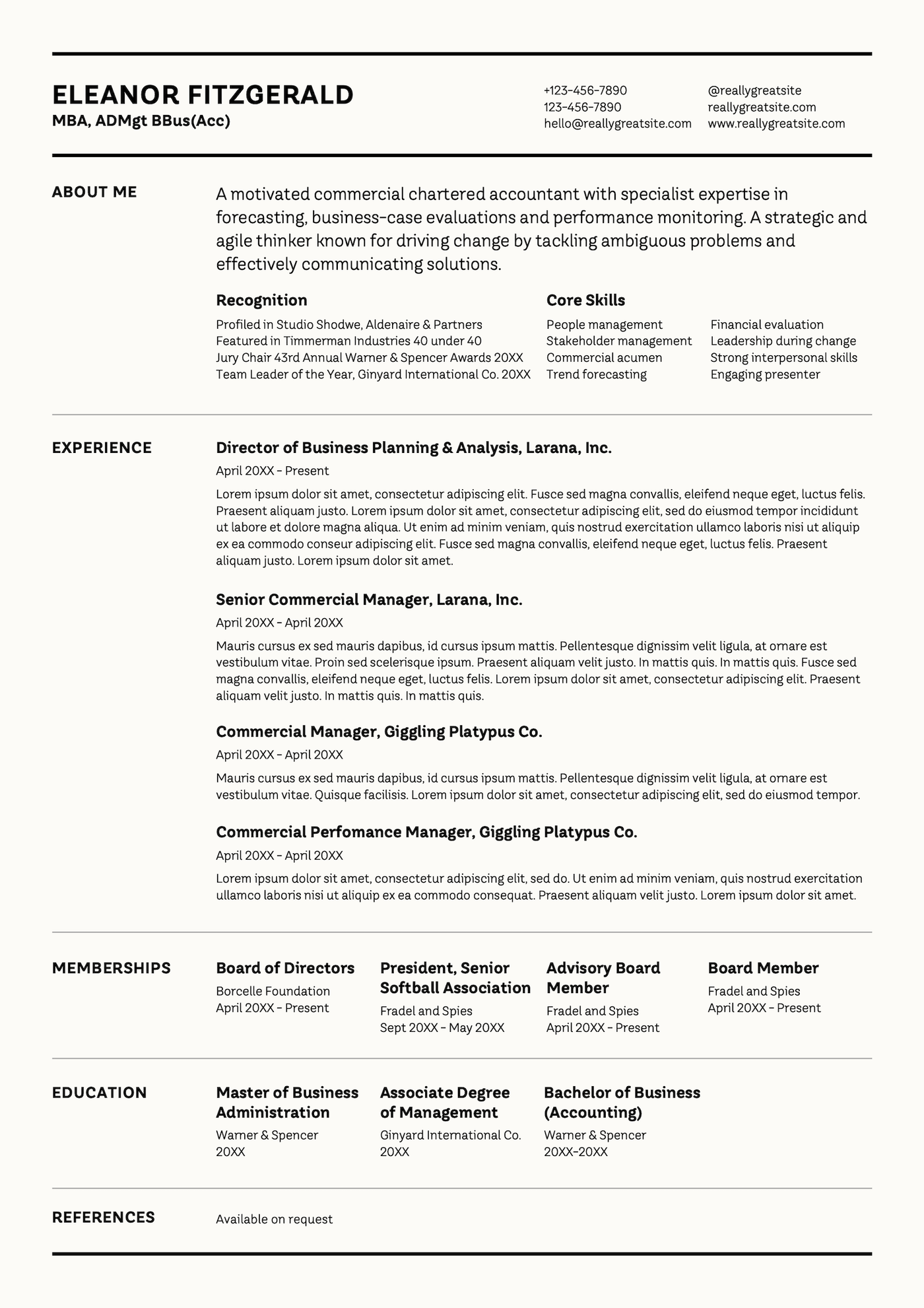
What we like about this template:
- An experience-focused design makes it optimal for seasoned professionals
- Well-organized sections make this resume easy to scan, even with its high level of detail
- An off-white background adds visual interest while maintaining a professional look
12. Green and black simple style resume
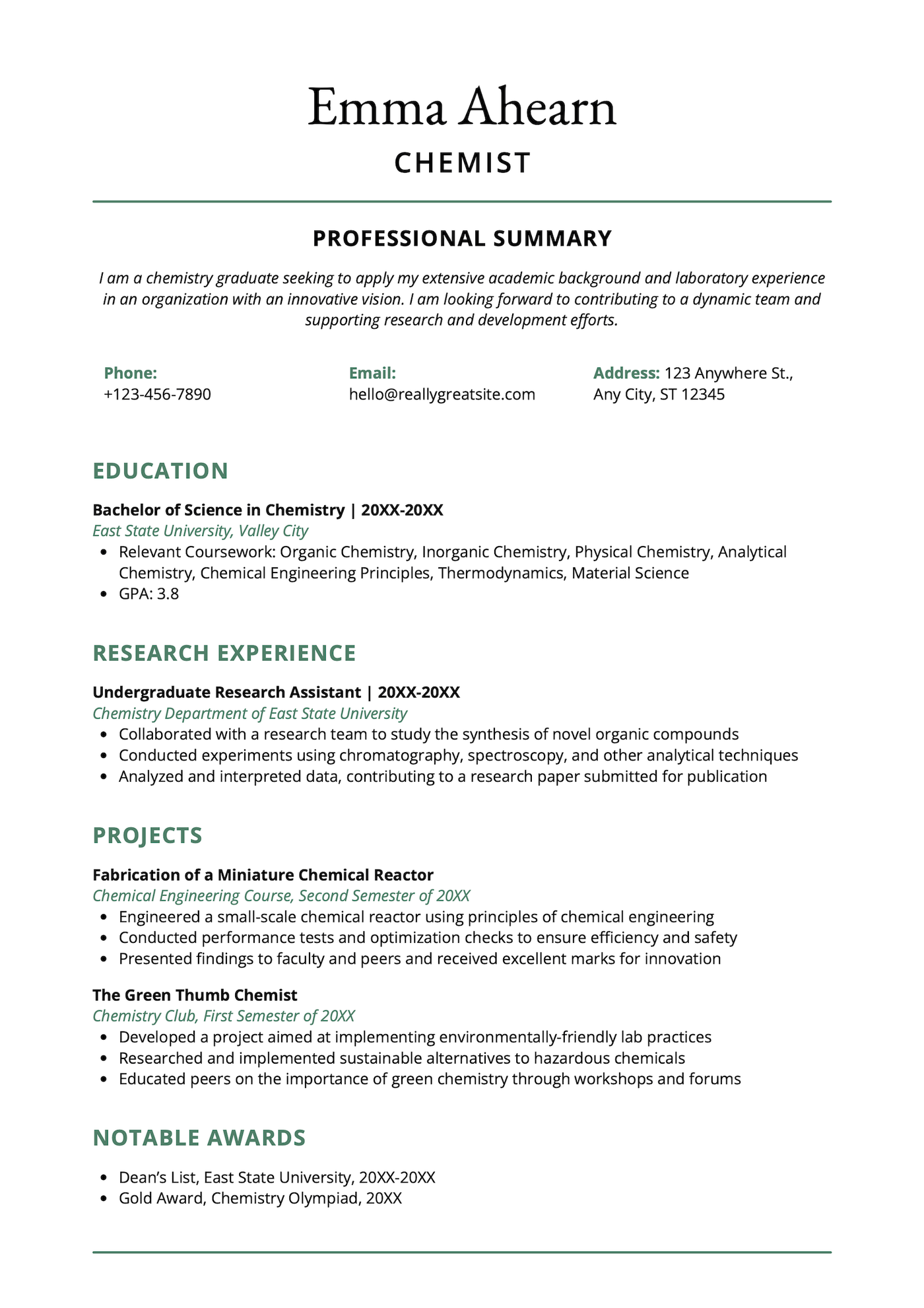
What we like about this template:
- The green font and horizontal lines add visual appeal and make the section headings stand out
- Emphasizes research and projects, which is perfect for scientists and academics
- ATS-friendly layout ensures your resume is smoothly processed by companies using this software
13. Black and white professional resume
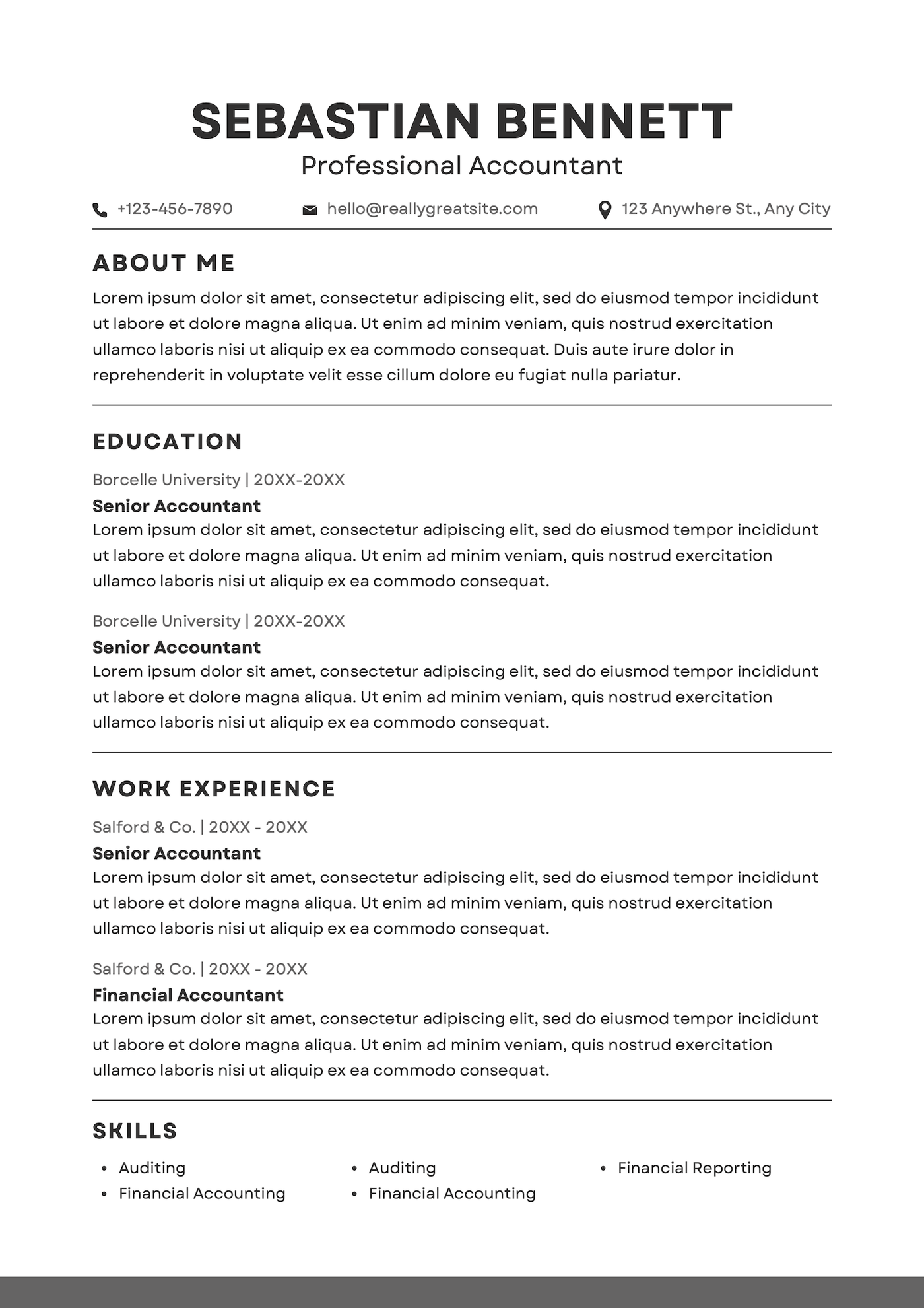
What we like about this template:
- Single-column layout is ATS-friendly and easy to skim
- Clearly organized sections enhance readability
- Simple structure makes it easy to edit and customize
14. White and dark orange simple style resume
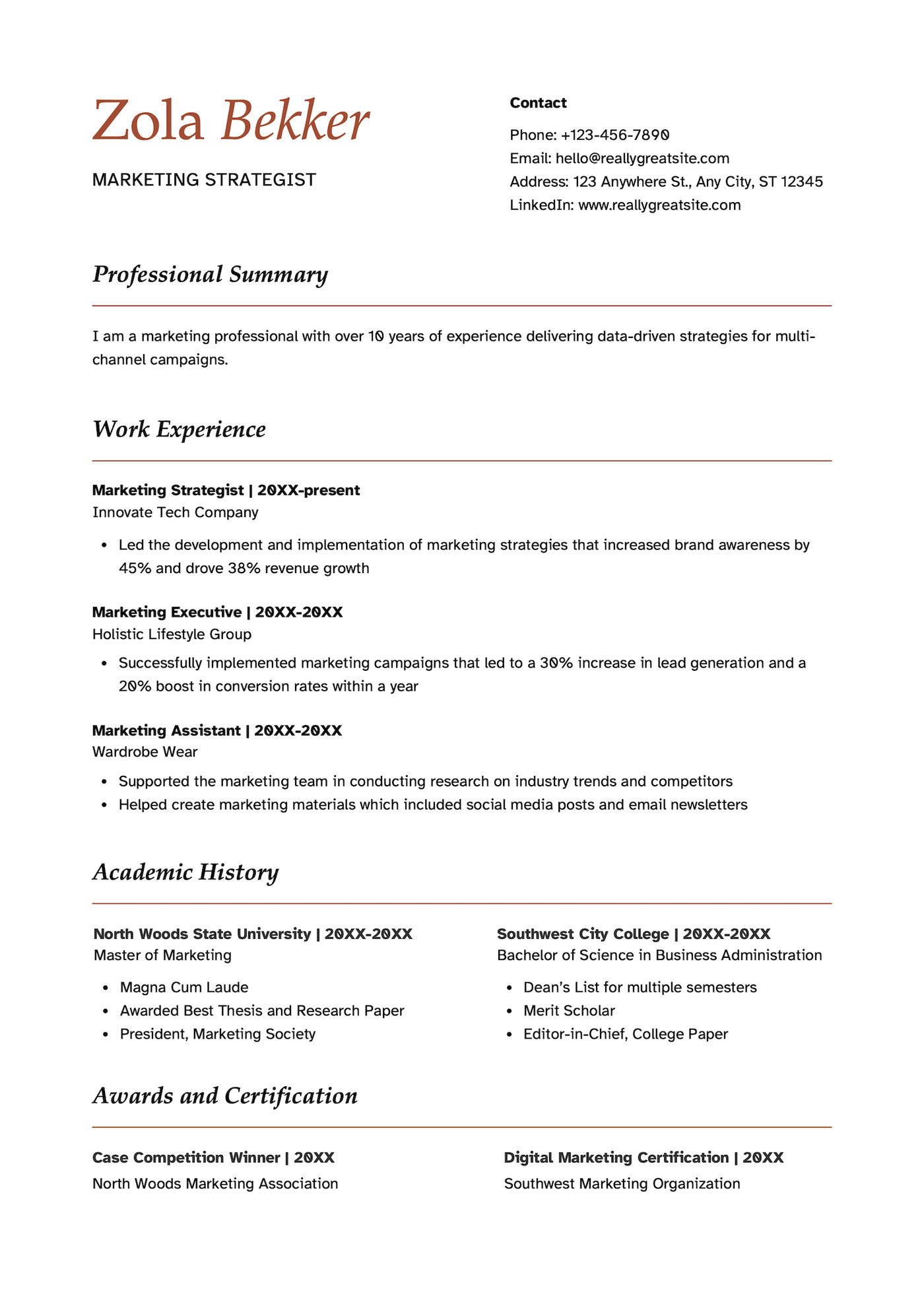
What we like about this template:
- Amber-colored header and matching section headings add visual appeal
- Open layout and generous white space give the design an airy, spacious look
- Includes an awards and certifications section to highlight professional achievements
15. Black and white corporate resume
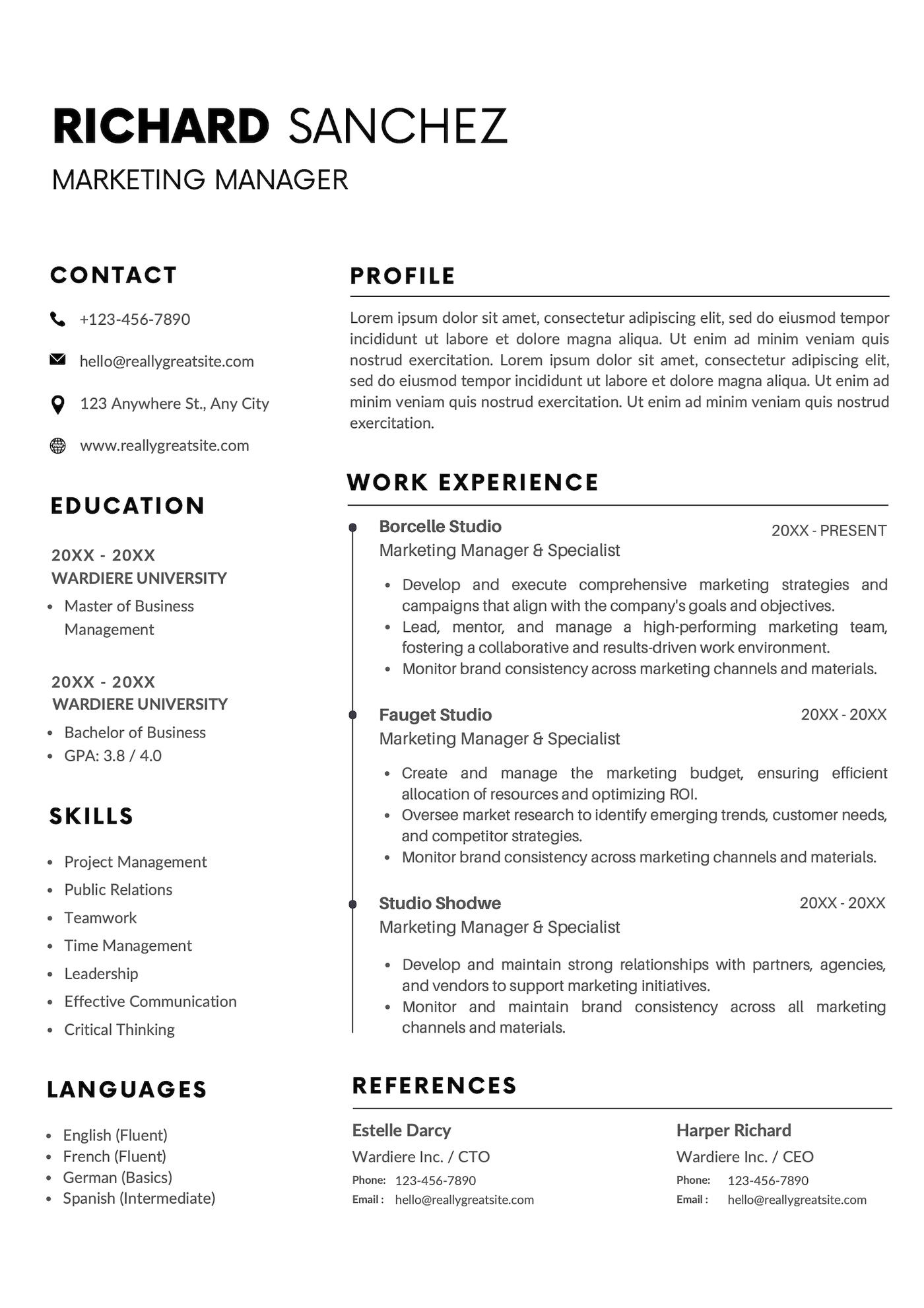
What we like about this template:
- Modern two-column layout organizes content into easily scannable sections
- Timeline-style work experience section clearly highlights your career progression
- Bold header makes sure your name stands out and is memorable
16. Black and white minimalistic professional resume
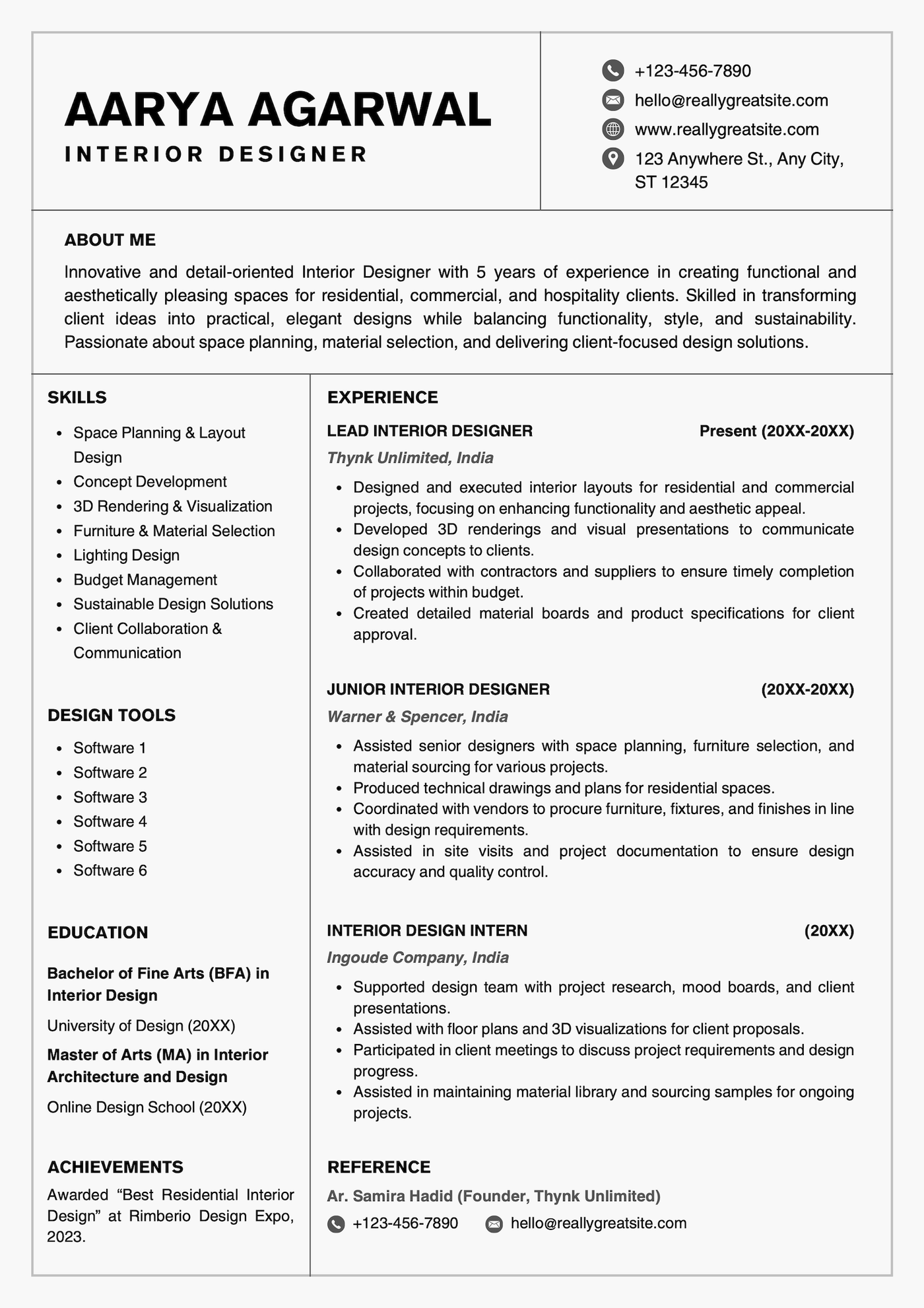
What we like about this template:
- Clearly defined sections keep the resume well-organized and easy to navigate
- Multiple optional sections allow for easy customizability
- Work experience takes center stage, making this a good template for experienced professionals
17. White and blue modern resume
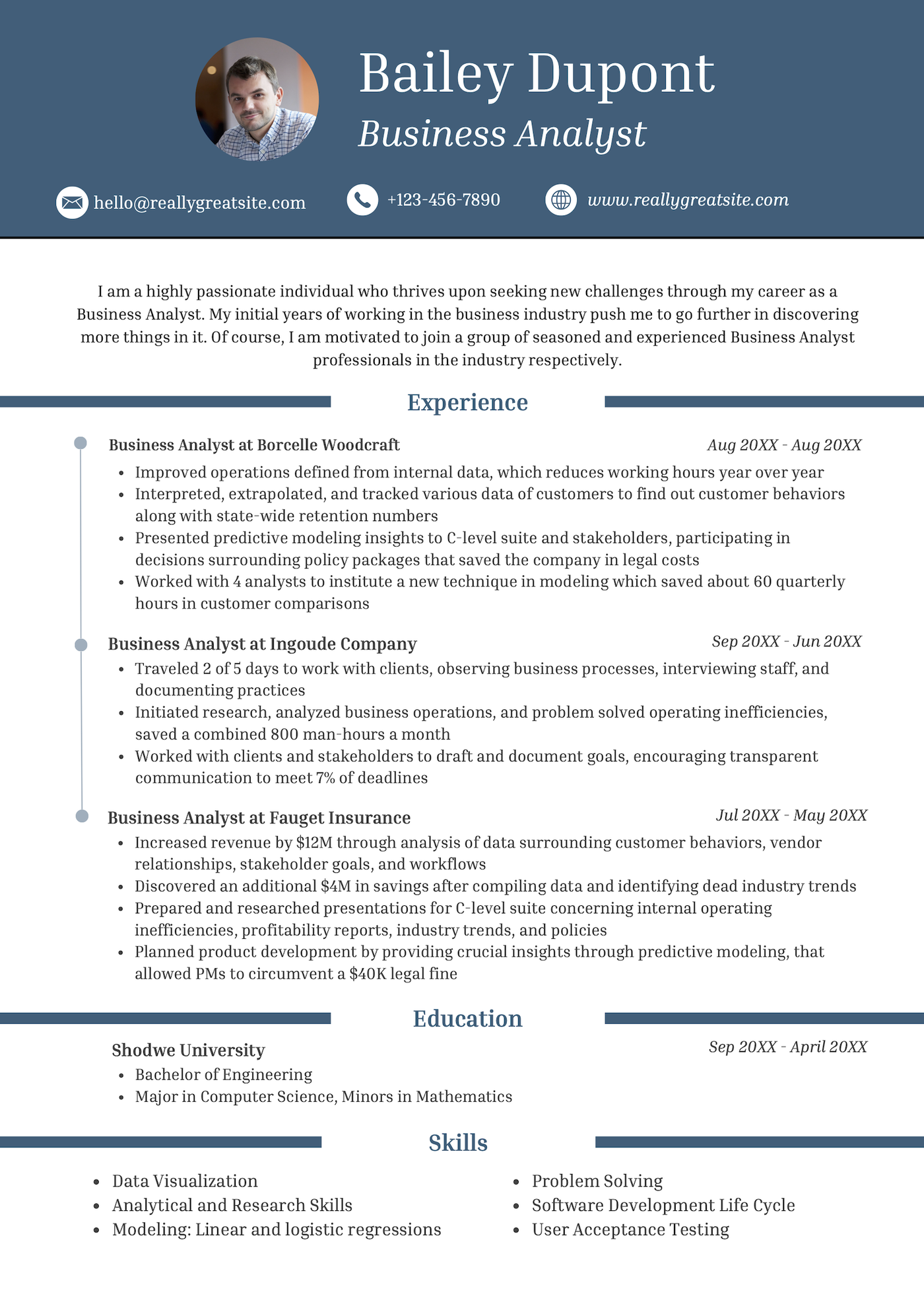
What we like about this template:
- Bold header immediately draws attention to your name and title
- Offers ample room for describing your work experience
- Distinct section headings make the template easy to navigate visually
18. Modern professional resume
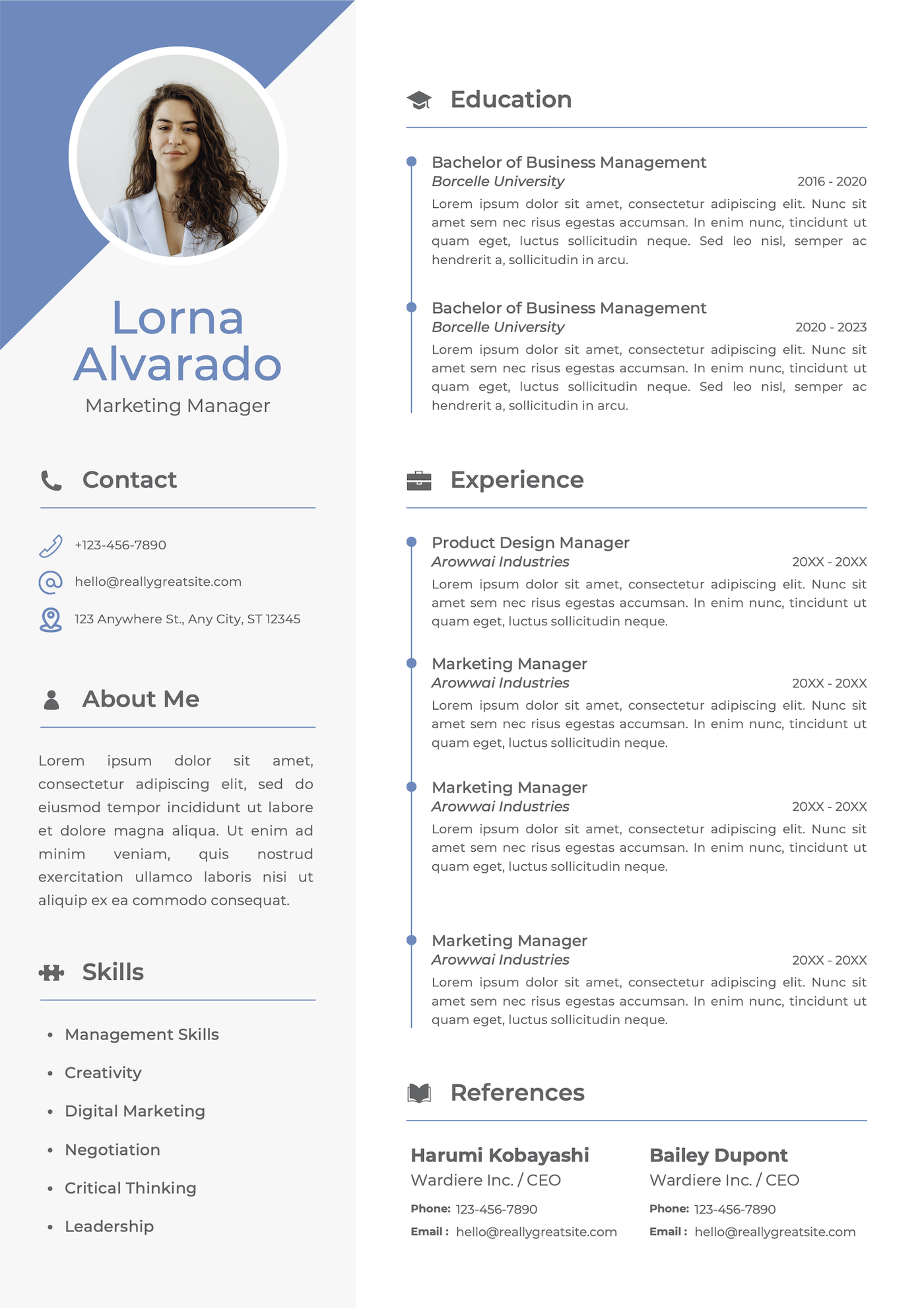
What we like about this template:
- Bold header immediately draws attention to your name and title
- Offers ample room for describing your work experience
- Distinct section headings make the template easy to navigate visually
19. White simple resume
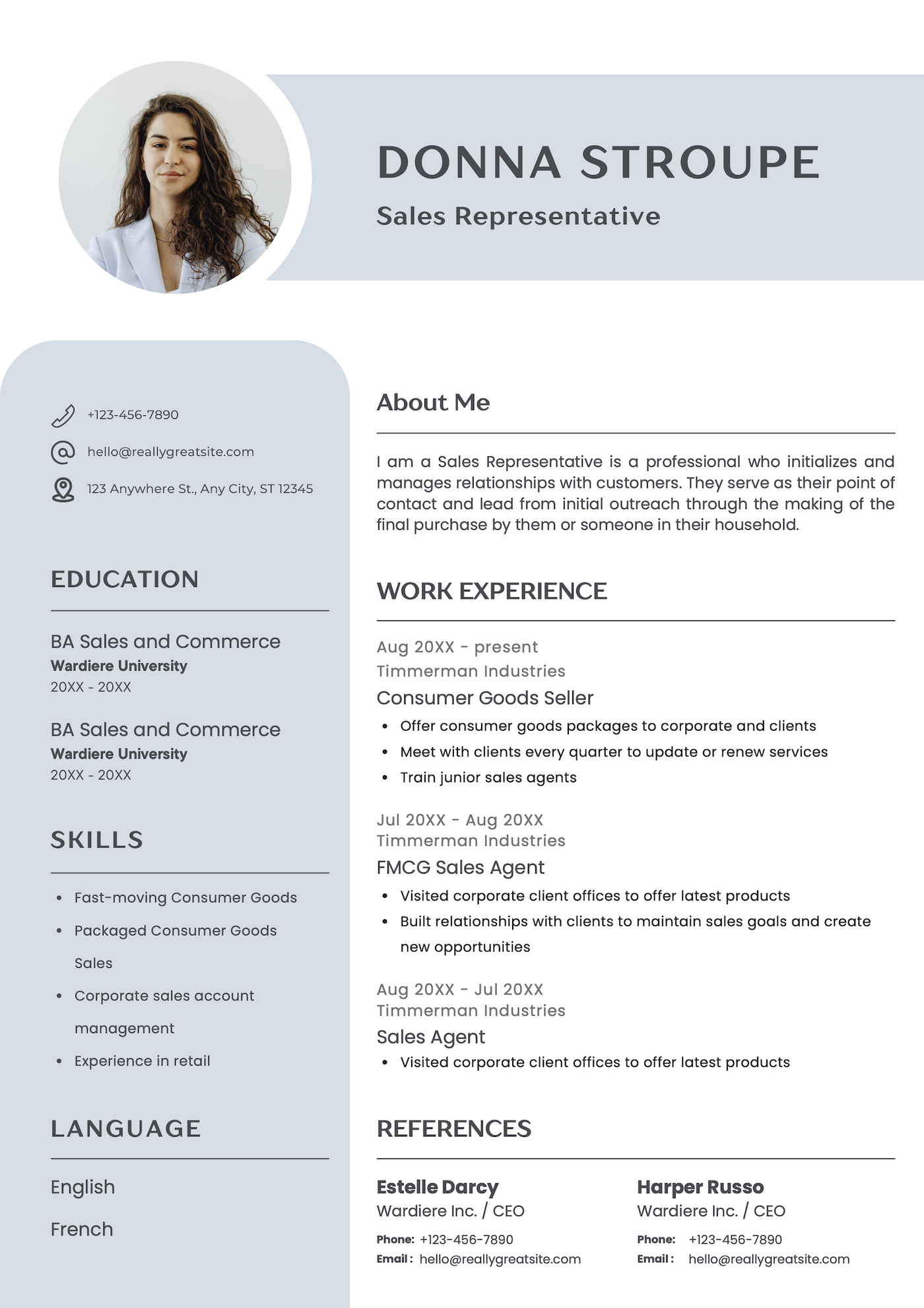
What we like about this template:
- Unique header and sidebar create an eye-catching, contemporary look
- Clearly organized content makes the resume easy to follow
- Modern design makes it a good option for candidates in creative industries
20. Gray and white simple clean resume
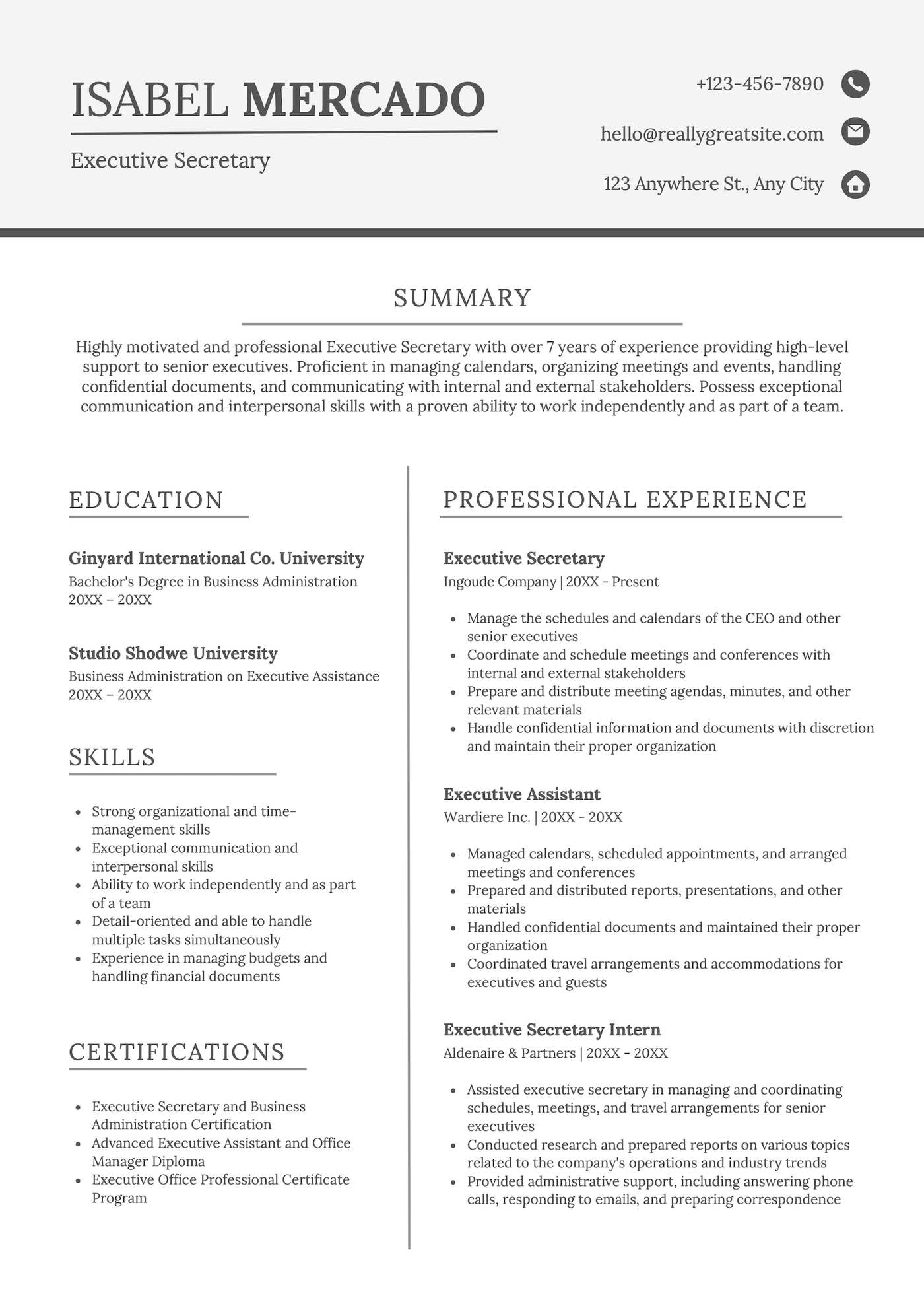
What we like about this template:
- Large header draws attention to your name, title, and contact information
- Two-column layout below the summary organizes content while providing ample space for your professional experience
- Sleek, professional design makes it perfect for formal industries
How to use a Canva resume template
Not sure where to start? Follow these five simple steps to make a Canva template your own.
1. Input your information
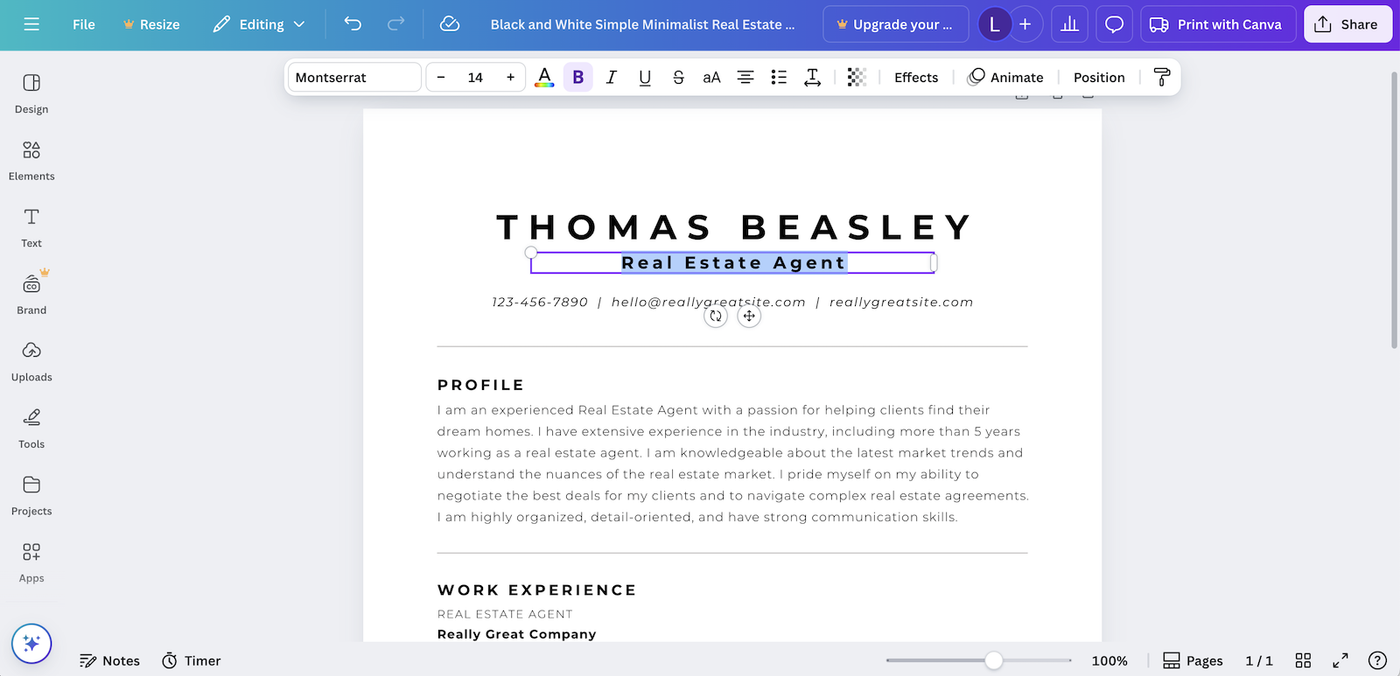
After selecting a design and clicking “Customize this template,” start replacing the placeholder text with your own details.
Click on each section and highlight the text to edit it. If you have an existing resume, you can speed up the process by copying and pasting your information directly into the Canva template (you don’t even need to worry about formatting — Canva will autoformat it for you).
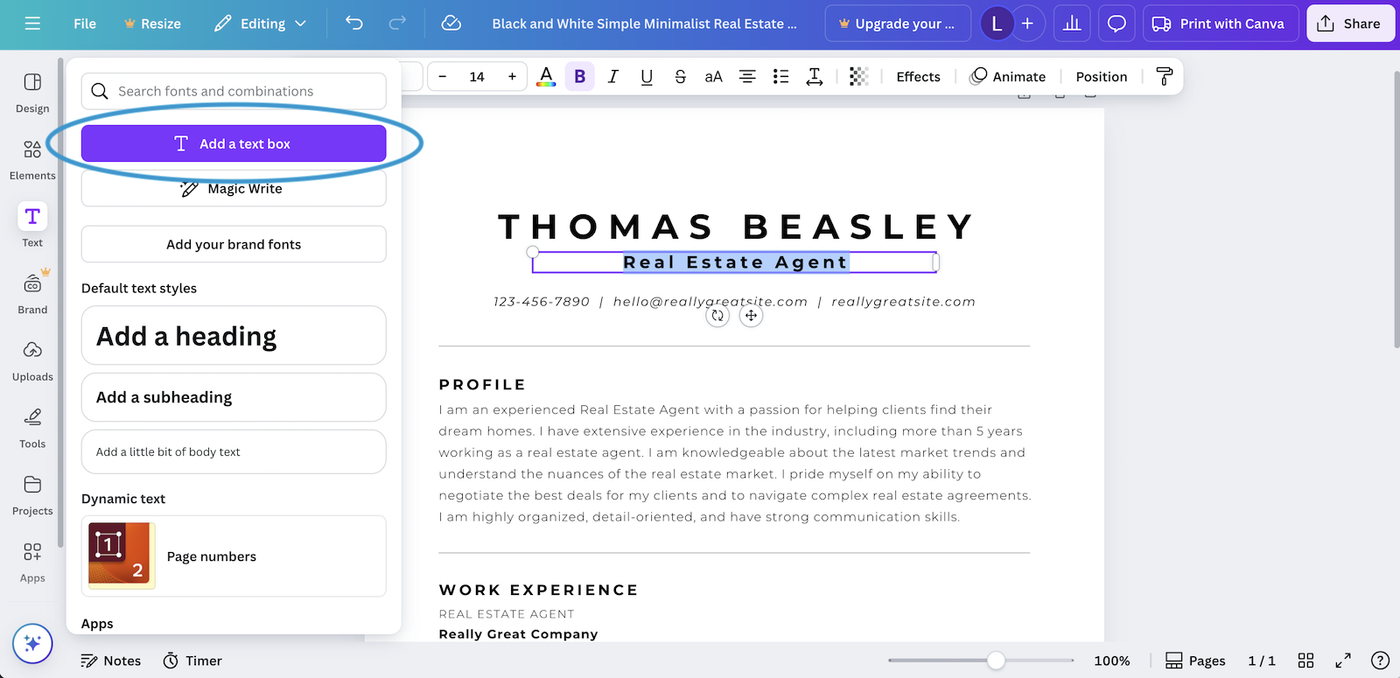
2. Add any additional sections you need
To add extra sections, click “Text” in the sidebar and select “Add a text box.” Then, drag and drop your new text box to place it where you want.
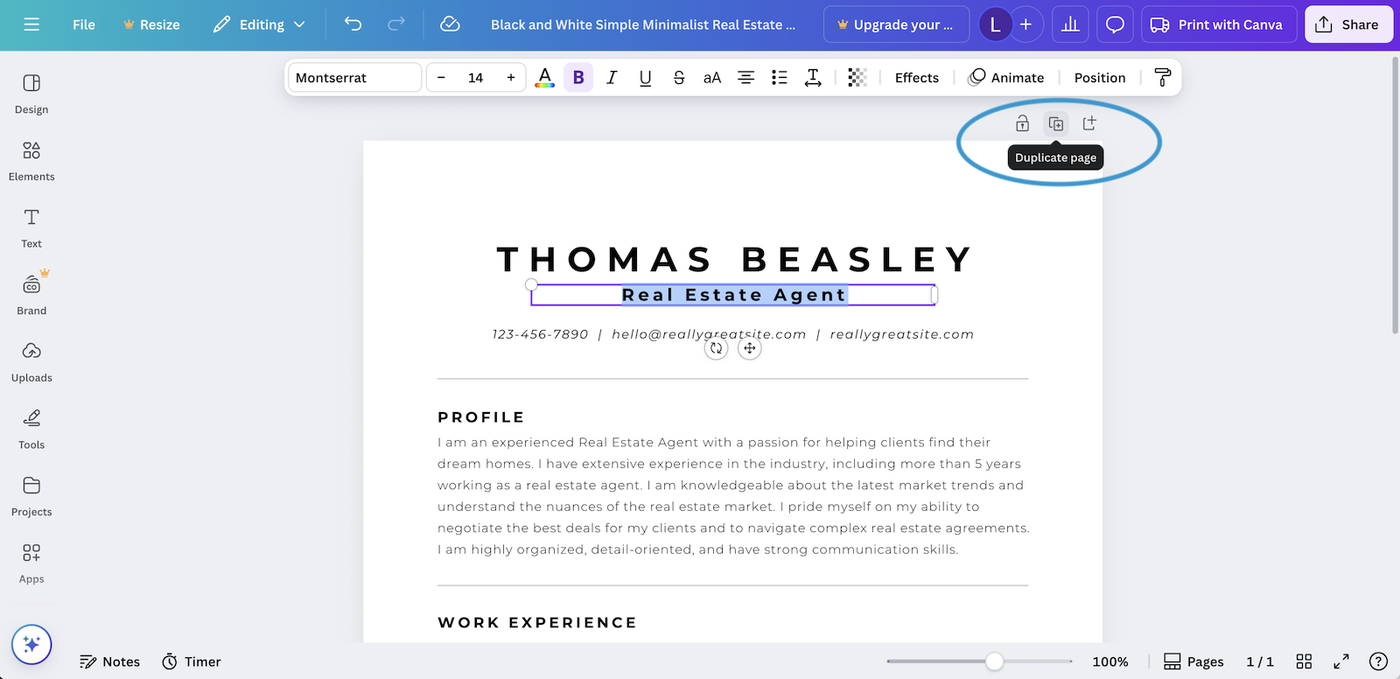
If your resume needs a second page, save time by duplicating the first page. While you’ll still need to rearrange and remove some sections, duplicating will help pre-format the page for you.
3. Adjust the formatting
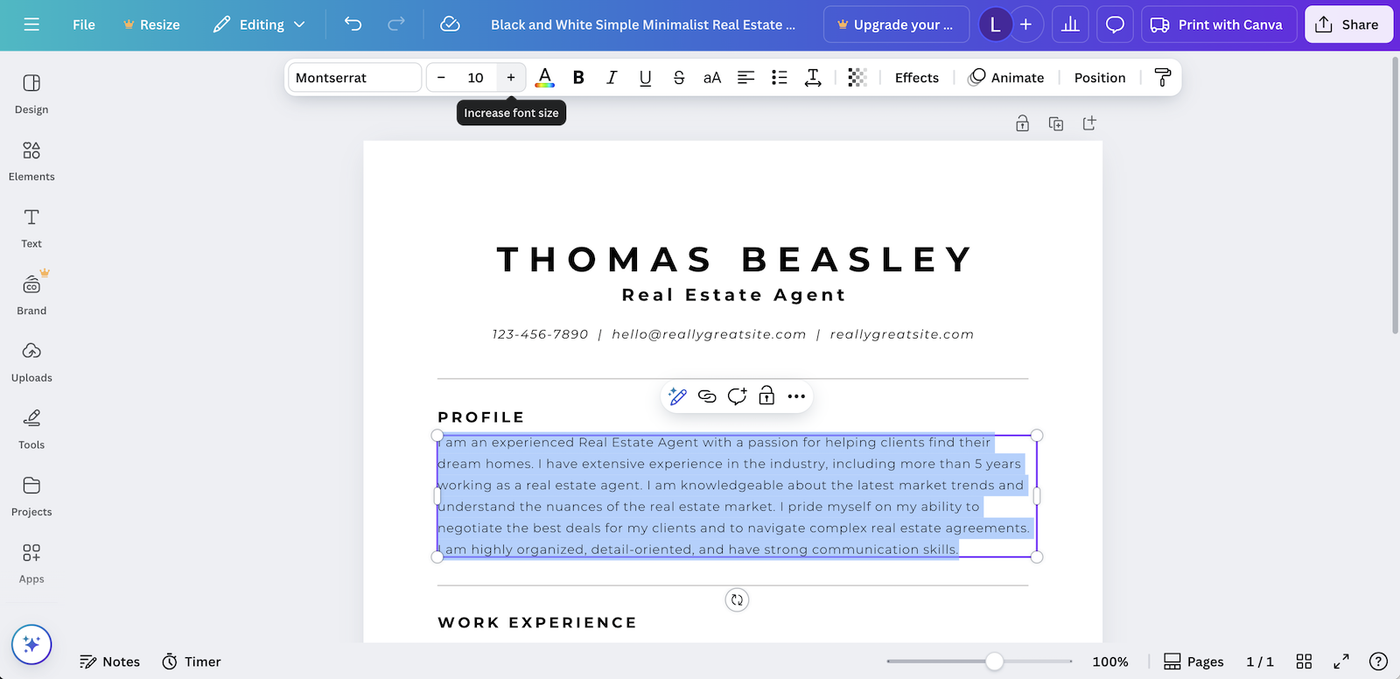
Once you’ve added all your content, fine-tune the formatting to make your resume look clean and professional. Adjust font sizes and section spacing.
Here are some resume formatting basics to keep in mind:
- Left-align your content
- Keep your margins to 1″
- Use an easy-to-read font
- Create clear headers for each section
- Use bullet points
Many Canva resume templates use tiny fonts to fit in more text. However, we recommend sticking with a font between 10 and 12 points for the smallest text on the page, so that it’s easy for hiring managers to read.
– Eva Chan, Certified Professional Resume Writer
4. Choose how you want to share your resume
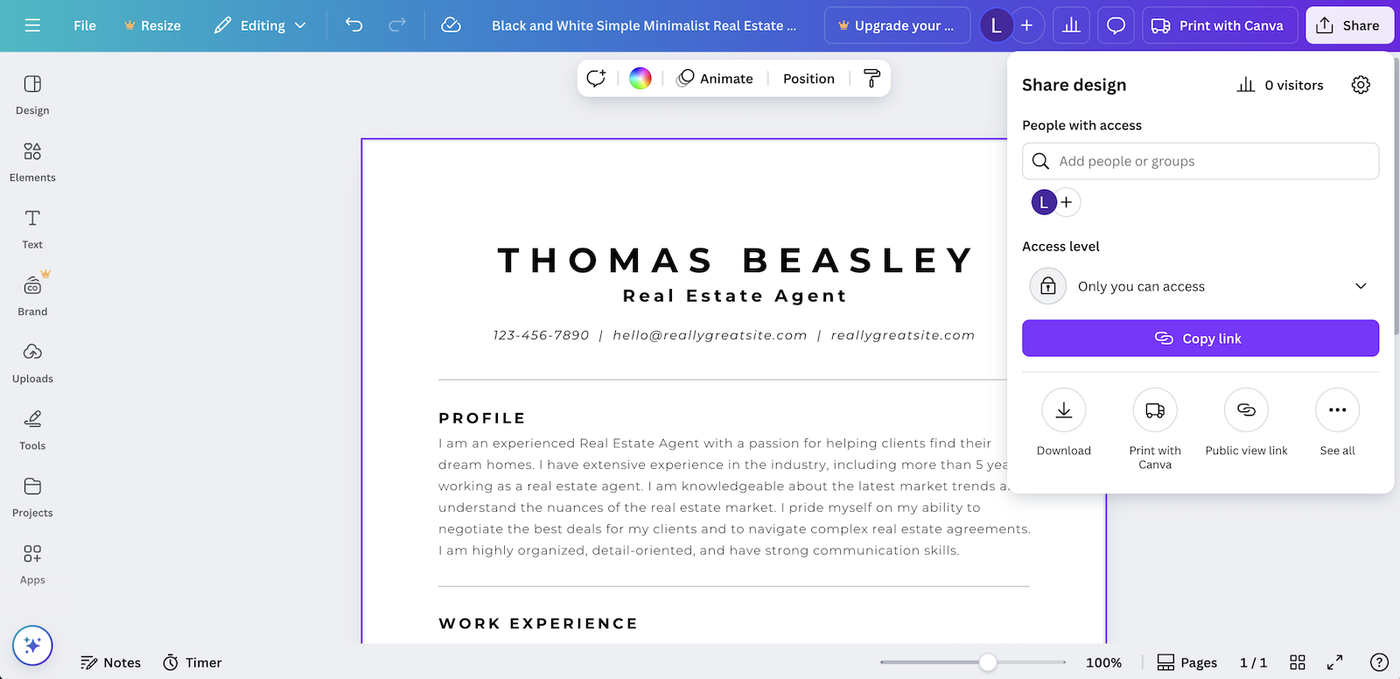
Once your resume is complete, Canva offers several sharing options. You can:
- download your resume as a file
- order prints
- share a public viewing link
- view and record your resume in a presentation
We recommend always keeping a downloaded copy of your resume for applications and your personal records.
5. Download your resume as a PDF
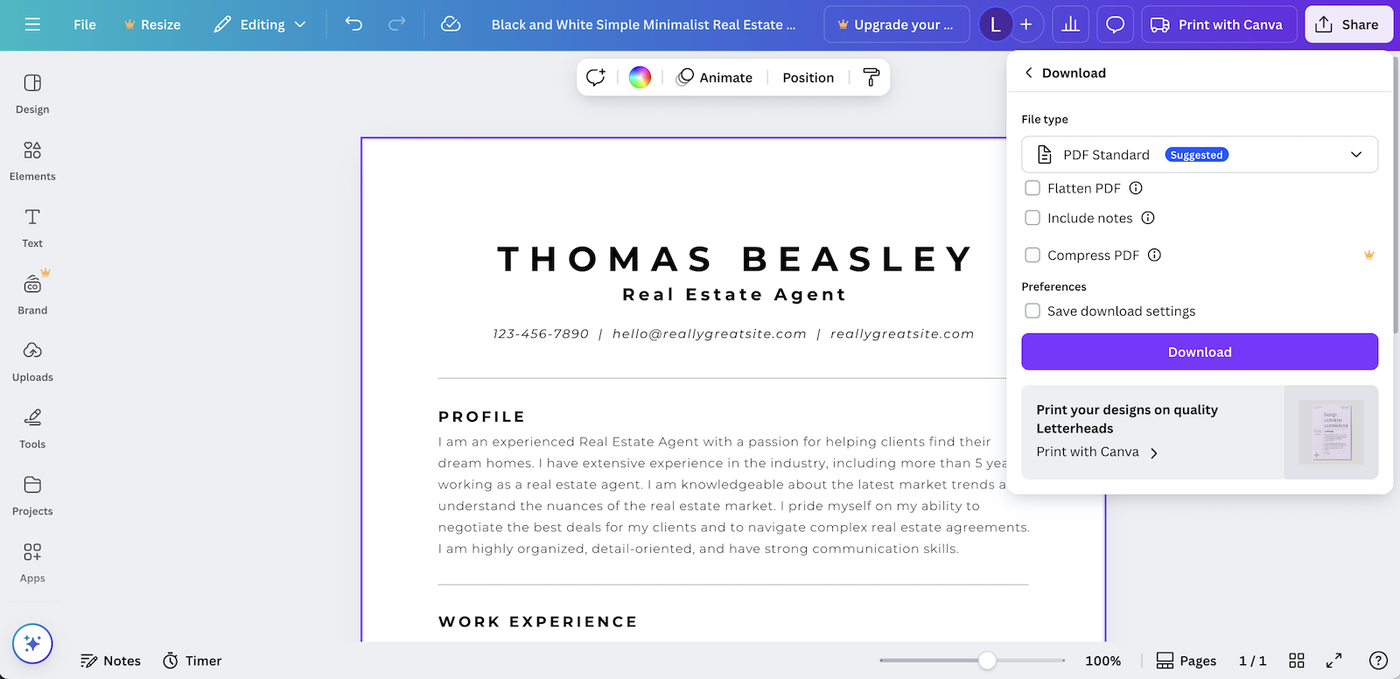
When you download your resume from Canva, we recommend downloading it as a PDF. PDFs, along with DOCX files, are the most widely accepted formats for resumes and will be the most ATS-friendly.
Pros and cons of Canva templates
Overall, here’s what we like about Canva’s resume templates, and what we think could be better:
Pros
- Canva has a wide variety of modern templates that you can use for free
- Canva’s interface is easy to use and very intuitive
Cons
- Canva’s interface is geared toward design-savvy users, which can make formatting challenging for beginners
- You can’t download documents in DOCX format
- Canva’s editor doesn’t offer any resume help or feedback
Skip the formatting hassle

Other resume templates
Depending on your goals, you might benefit from exploring the other resume templates we offer:
Templates by design style:
- Basic resume templates: Straightforward, no-frills templates for a professional look
- Blank resume templates: Flexible resume layouts you can customize to fit your needs
- Creative resume templates: Unique resume designs that help your application stand out
- Entry-level resume templates: Designed for early-career job seekers
- Modern resume templates: Sleek designs with clean formatting
- Picture resume templates: Layouts that that leave space for a professional photo
Templates by software/app type:
- Google Docs resume templates: Resume layouts built for Google Docs
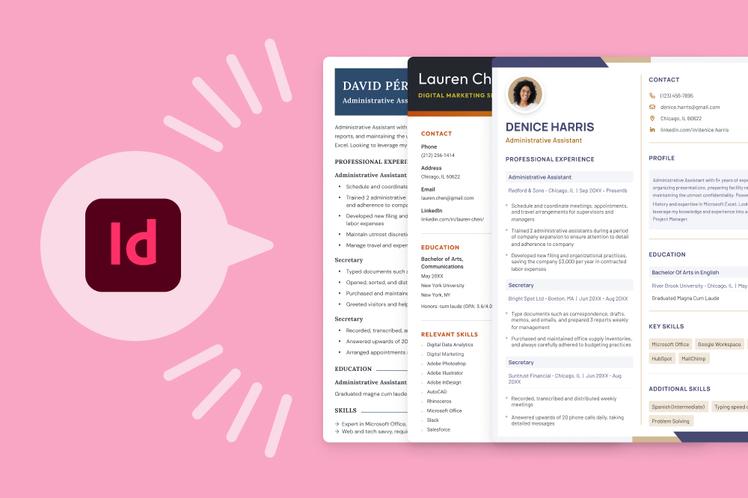
- InDesign resume templates: Professional resume templates made with Adobe InDesign
- LaTeX resume templates: Resume formats designed for precise customization
- LibreOffice resume templates: Free templates for LibreOffice users
- Pages resume templates: Designed specifically for the Apple Pages app
Templates by file type:
- PDF resume templates: Resume formats that look the same on every device
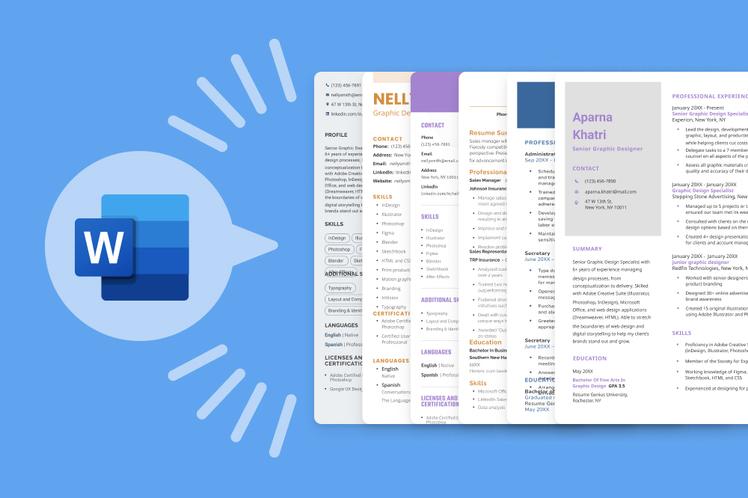
- Word resume templates: Resume layouts that are easy to edit in Microsoft Word













Facebook
Twitter
Linkedin
Pinterest
Reddit
Copy link