



- How to Make or Improve Your Resume Using ChatGPT
- Should you use ChatGPT to write your resume?
- How to make a resume from scratch using ChatGPT
- Professional templates for your ChatGPT resume
- 8 ways to improve your current resume with ChatGPT
- Expert tips for writing the best possible ChatGPT resume
- Common mistakes to avoid when using ChatGPT to make a resume
- Other ways to use AI to get a professional resume
- Frequently asked questions about writing a resume with ChatGPT
- Other resume optimization resources
- About Resume Genius
53% of hiring managers say they dislike obviously AI-generated resumes. If you use ChatGPT to make your resume, you need to know how to do it the right way.
@resumegenius Using ChatGPT in your job search can help you save a lot of time. Here’s how you can use ChatGPT to help you analyze job descriptions and tailor your resume to the job. 🔸 Comment “Resume” and we’ll send you these ChatGPT prompts along with free professional resume templates you can use immediately! #jobsearch #chatgpt #ai #resume ♬ original sound – Resume Genius | Career Tips
We’re here to help. With our expert prompts and tips, you can use ChatGPT (or any AI tool) to create a resume that gets results and reads like you wrote every word yourself.
Should you use ChatGPT to write your resume?
Yes, you should use ChatGPT to help write your resume. But it works best as a writing assistant, not a complete solution.
With the right prompts, ChatGPT can draft content quickly, improve wording, and tailor your resume to specific jobs. However, it’s most effective when you combine AI-generated content with your own editing and personal input.
Pros
- Speeds up the writing process
- Helps refine tone and structure
- Quickly tailors your resume to different jobs
- Free to use
Cons
- Can misunderstand context
- First drafts often sound generic
- Can’t replace human judgment
How to make a resume from scratch using ChatGPT
If you’re creating your first resume or want to start fresh, follow these steps to make your first draft.

Because AI is constantly changing, we regularly update the prompts and instructions in this guide.
1. Paste in your work history
Begin by providing ChatGPT with an overview of your work experience, key skills, and education to provide the context it needs to create a solid first draft.
You are an experienced resume writer who specializes in working with clients in [Industry/Field]. Help me write a resume for a [Job].
Here’s my work history, including job titles, companies, locations, and employment dates. Use this information to create a resume that summarizes my responsibilities and experience.
[Paste your work history here]
Ask me questions if you need to know anything else to write a professional resume.
Asking ChatGPT to act as a resume writer will help get better results by giving it clearer expectations. This is called role prompting.
Be sure to answer any follow-up questions so ChatGPT can create an accurate resume.
2. Add your key achievements
Once you have a basic draft, improve your resume by telling ChatGPT about specific achievements with the following prompt:
I will provide additional achievements to include in my resume. Please update the resume and incorporate each achievement into the most appropriate section of the resume.
[Include more achievements here, specifying which role each one belongs to.]
If you’re unsure what to include, focus on experiences that demonstrate your qualifications, like:
- Projects you’ve led
- Cost savings you contributed to
- Efficiency improvements
- Academic achievements
- Certifications or licenses
- Awards
- Professional development or continuing education
- Technical skills
The more specific your achievements are, the better your resume will be. Try to come up with achievements that demonstrate your skills and include quantifiable results.
3. Tailor your resume to your target job
At this stage, your resume should already highlight your experience and achievements. Now it’s time to tailor it to the job you want using the following prompts.
In part one, paste the full job description so ChatGPT can identify the qualifications and skills that matter most. In part two, paste the latest version of your resume so ChatGPT can rewrite it to align with the job description.
You are a senior hiring manager with years of experience hiring for [target job title] roles. Review this job listing and identify the 10 most important qualifications and skills required for the role that align with the skills in my resume.
Here is the job listing:
[Paste the job description and requirements here]
And here is my current resume:
[Paste your resume here]
You are a [professional title/headline] applying for this [target job title] position. Please rewrite the following resume to target the 10 qualifications and skills identified above as much as possible:
[Paste your resume here]
4. Ask ChatGPT to suggest improvements
Next, you can ask ChatGPT to improve the other sections of your resume using this prompt:
Please provide a list of suggestions to improve any sections of my resume, including work experience bullet points. For example, by including strong action verbs, improving sentence structure, highlighting my skills more effectively, and suggesting any other improvements you recommend.
After reviewing the suggestions, use this follow-up to have ChatGPT apply those changes.
Please rewrite the resume to incorporate your suggested improvements.
5. Edit and add personal touches
Review ChatGPT’s output carefully and make sure that every detail accurately reflects your experience.
ChatGPT is not perfect, and it sometimes adds inaccurate or irrelevant information. Don’t assume that everything it gives you is correct and ready to use as-is. You’ll still need to proofread your resume to make sure it aligns with your actual job history and skills.
You should also personalize the writing if it feels too AI-generated. Look out for vague buzzwords, overly polished language, or phrases that sound like they could apply to anyone. Trim unnecessary wording and rewrite sections that need a more authentic tone. Your resume should highlight what makes you unique.
Check your resume now

Download a free template to give your ChatGPT resume a professional design
After you’ve finished editing your ChatGPT resume, all that’s left to do is paste your finalized content into a professional resume template.
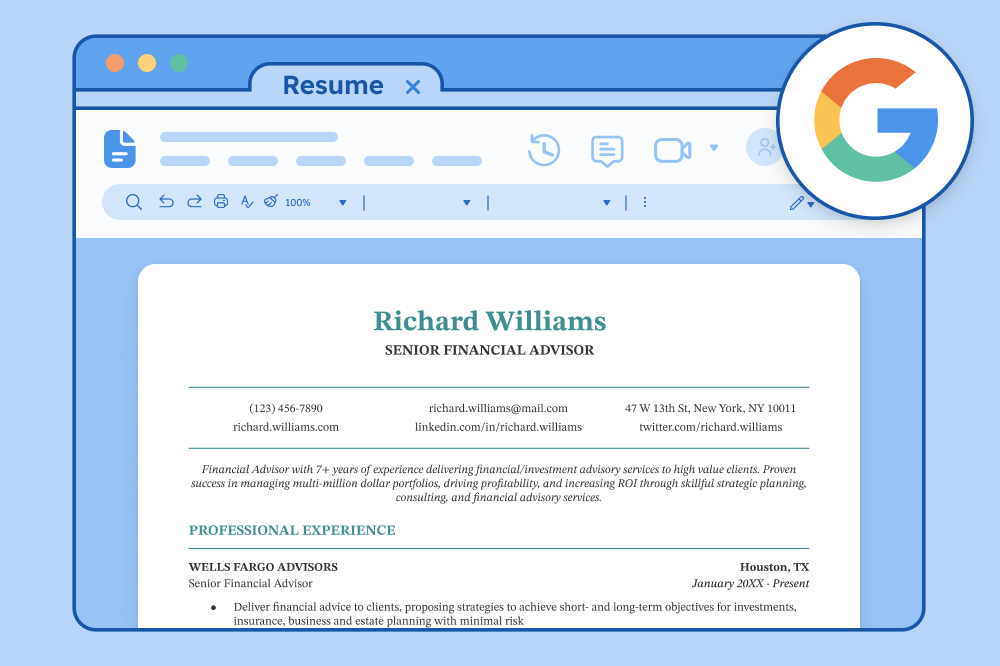
We offer free, customizable resume templates that work for every industry and experience level. Just download your favorite template and edit it in Microsoft Word or Google Docs.
To make the process even easier, enter your content into our resume builder to take care of the formatting for you.
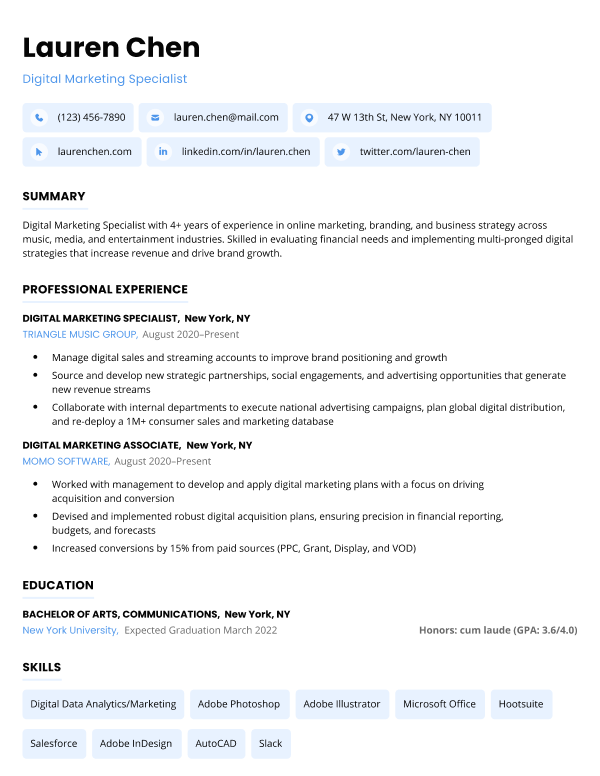
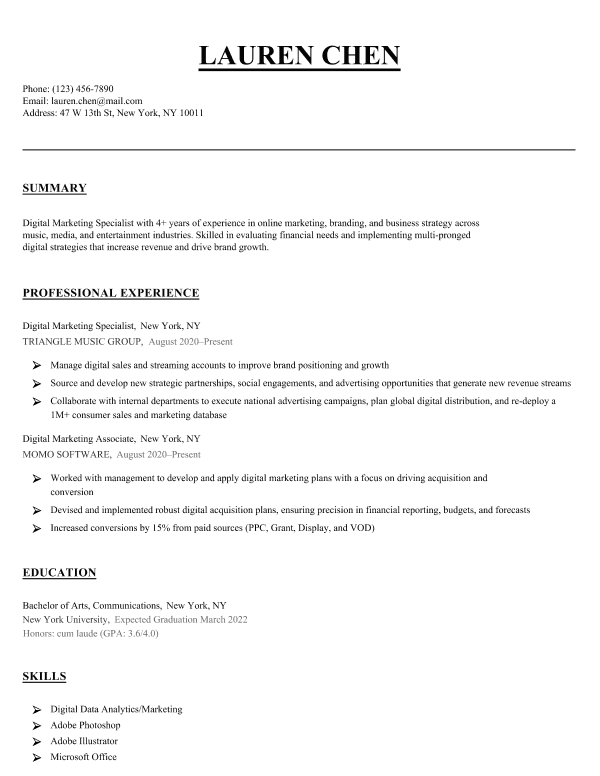
Our resume builder can make you a resume in as little as 5 minutes. Pick the template you want, and our software will format everything for you.
8 ways to improve your current resume with ChatGPT
If you already have a resume but it needs polishing, here are eight prompts you can use to help ChatGPT review and improve it.
1. Update your resume
If your resume hasn’t been updated in a while, start by adding your most recent role. ChatGPT can turn your raw job details into polished, results-driven bullet points that match your tone and industry.
You are a professional resume writer. Please add my latest work experience to my resume. Here’s the job title, company, dates, and what I’ve been doing so far. Please write a new work experience entry with strong, professional bullet points that match the style and tone of my current resume.
[Add your job details here]
Here is the rest of my resume:
[Paste your existing resume here]
2. Elevate your skills
Our Hiring Trends Survey found that 65% of hiring managers are willing to hire candidates with all the right skills, even if their experience doesn’t perfectly line up. With skills-based hiring on the rise, it’s important that the skills on your resume present you as a capable candidate.
Use the sequence of prompts below to strengthen the skills section of your resume. It combines role prompting and chain-of-thought prompting techniques for the best output. With chain-of-thought prompting, you use multiple steps to give ChatGPT more context and help it create a focused response.
First, ask ChatGPT to act as an experienced resume writer and career expert and give it the specific information you want to deal with:
You are an experienced resume writer and career expert with a background in recruiting for [company type] companies and [job title] roles. Please take a look at this description of what [marketing managers] do and what skills and qualifications they need from O*NET. No further action is needed for now, just respond that you understand.
[Copy and paste the occupation summary information from O*NET OnLine — you can simply search for the occupation. If they don’t have available information for your target role, alter this prompt to use a job description for your target role.]
If you’re making a general resume, use O*NET OnLine, a government-run database with skills information for over 1,000 jobs. Go to onetonline.org, search for your job title using the “Occupation keyword search” bar, and copy the tasks, technology skills, work activities, and detailed work activities into ChatGPT.
If you’re writing a targeted resume for a specific opening, use that job description instead.
ChatGPT shouldn’t rewrite your resume yet. First, ask it to identify the most important key skills:
Based on this information and your insights as a resume, career, and [industry] expert, what do you think are the most critical skills for job seekers to demonstrate on their resume, with an emphasis on relevant [job type] hard skills?
Then ask ChatGPT for feedback on how to improve the work experience and skills sections of your resume so that you can target these skills better:
Now, please take a look at the skills section and work experience section of my resume. I am a [current job title] applying for [job title] roles. Please provide feedback on how I can improve both my skills and work experience sections to highlight these important [industry or skill type] skills.
[Copy & paste your work experience and skills sections]
Finally, ask ChatGPT to rewrite these sections based on its own feedback:
Please rewrite my professional experience section and skills section to incorporate these improvements, but don’t make up any additional information to include in my resume.
Here’s a step-by-step video guide for you to follow:

Always double-check ChatGPT’s suggestions for accuracy and formatting. ChatGPT tends to create long, overly detailed lists and can “hallucinate” details that aren’t true. Make sure everything on your resume is accurate.
3. Improve your work experience bullet points
With the next series of prompts, ChatGPT will give you suggestions for making the bullet points in your work experience section more concise and impactful.
By the end, you’ll have a table of variations to choose from.
Let’s collaborate to enhance my resume! You are an experienced resume writer and career expert with a background in recruiting for [company type] companies and [job title] roles. I will send you bullet points from the work experience section of my resume, and you tell me how to improve them. Suggest starting each bullet point with an action verb to grab hiring managers’ attention. Please make sure not to add any additional information that isn’t already in my bullet points. Then, let’s make a three-column table that shows exactly which words you changed! Show me the original version in the left column with changed words in bold, your changes in the center column with replaced words in bold, and an explanation for the changes in the right column. If you understand, reply with “Got it! Let’s do this!” I will send you the bullet points in the next message.
Next, paste the bullet points you want to improve.
[Copy & paste your work experience section bullet points]
You should now have a clear table showing improved bullet points along with an explanation of what ChatGPT changed.
Now ask ChatGPT to replace any clichés with more specific and descriptive language.
Thank you! Now, let’s identify any clichés and replace them! Let’s opt for more original and descriptive language. Once again, let’s make a three-column table that shows exactly which words you changed! Show me the original version in the left column with changed words in bold, your changes in the center column with replaced words in bold, and an explanation for the changes in the right column.
Then, ask ChatGPT to make the bullet points more concise without losing meaning.
Thank you! Now, let’s see if there are any phrases that can be edited for clarity and conciseness. Please identify any wordy or redundant phrases that could be rewritten. Let’s make a three-column table that shows exactly which words you changed. Show me the original version in the left column with changed words in bold, your changes in the center column with replaced words in bold, and an explanation for the changes in the right column.
Finally, ask ChatGPT to compile all variations into one organized table.
Now, please create a four-column table showing: my original bullet points, your version with action verbs, your version with clichés eliminated, and your version edited for brevity. Also, please present your final recommended version of the bullet points in the format that they would appear on a resume. Thank you!
This workflow gives you several effective versions of each bullet point side-by-side so you can choose which ones you like best.
4. Back up your achievements with hard numbers
One of the most effective ways to strengthen your resume is by adding numbers to measure your accomplishments. Metrics help employers see the scope of your work and the results they can expect from you.
Use the following prompts to ask ChatGPT for ideas for numbers you can use to highlight your accomplishments.
You are an experienced resume writer and career expert with a background in recruiting for [industry] companies and [job type] roles. What are examples of numbers and metrics I can use to highlight experience and accomplishments on my resume?
Next, provide your work experience section so ChatGPT can identify places where quantifiable achievements would make your resume stronger.
I will send you the work experience section of my resume. Please tell me how I can make it stronger and better highlight my accomplishments using numbers and metrics like the ones you mentioned above. Do not add any information to my resume that is not already there. Instead, show me where I can add quantifiable achievements and what kinds of numbers would impress hiring managers. Do not use only percentages. Here is the work experience section of my resume:
[Copy & paste the work experience section of your resume]
ChatGPT’s suggestions should show you where numbers could make your impact clearer. However, be careful about copying the numbers it gives you, as AI often suggests figures that are unrealistically high or simply untrue. Only add numbers that accurately reflect your experience.
5. Improve your resume summary
Use this prompt to get feedback from ChatGPT on how to improve your resume summary.
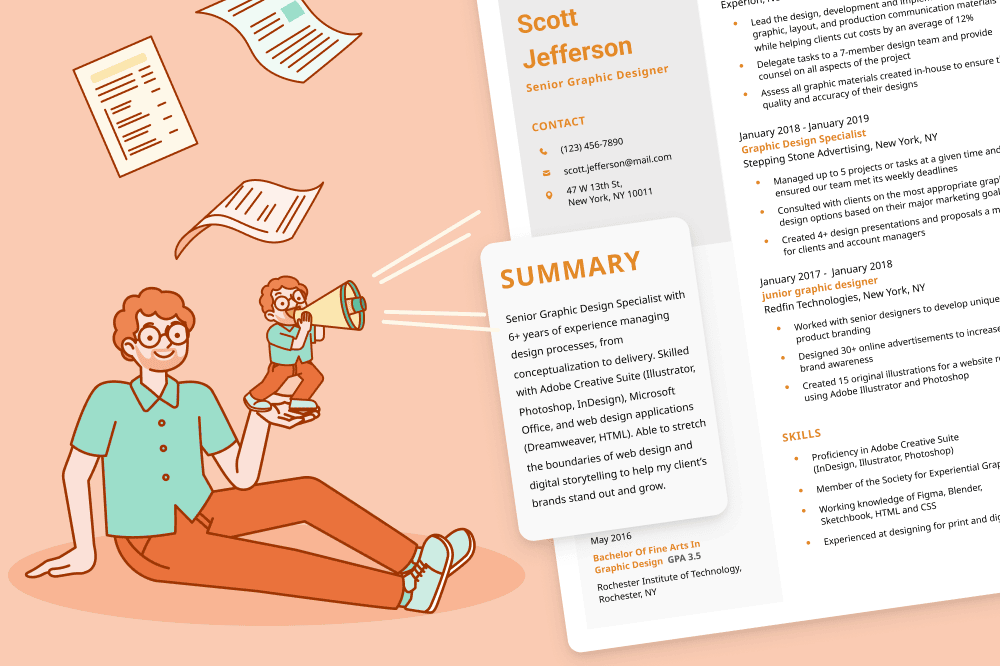
You are an experienced resume writer and career expert with a background in recruiting for [industry] companies and [job type] roles. I will send you my resume. Based on my experience and accomplishments, please tell me how I can make my resume summary more impactful while keeping it concise. Use only the information already provided on my resume and don’t make anything up. Instead, show me what improvements would impress hiring managers and you, as a resume expert. If you understand, reply “Got it.” I will send you my resume in the next message.
[Copy & paste your resume]
ChatGPT will create a resume summary tailored to your background. As always, proofread the final version and make any necessary adjustments.
6. Ask for general suggestions
With each section of your resume now polished, it’s time to get feedback on your resume as a whole. The following prompt will get ChatGPT to identify overall areas for improvement:
You are an experienced career coach with a background in recruiting for [industry] companies and [job type] roles. I’d like your help improving my resume further. I will send my resume to you in the next message. Please provide specific tips and tricks to enhance its effectiveness and make it stand out. Focus on how I can improve my resume specifically for a [job title] position in [industry]. Please respond “I understand” if you understand.
Here’s my resume:
[paste your resume here]
Great, thanks! Now, please review my resume again and ask me questions about anything you find unclear.
ChatGPT will likely give you helpful advice, but it’s up to you to evaluate its suggestions and apply the changes that make the most sense to you.
7. Tailor your resume to a specific job description
Tailoring your resume to each job is the best way to increase your chances of landing an interview. It shows employers how your background aligns with what they’re looking for.
But tailoring a resume is time-consuming, so we created this set of prompts to make the process quick and painless.
With these prompts, you’ll get:
- specific feedback on how to target your resume
- a draft of your tailored resume
- a side-by-side comparison of ChatGPT’s edits so you can quickly decide what to keep and what to leave out
You can reuse these prompts for dozens of applications without spending hours rewriting your resume again and again.
Act as an employer for the job in Example 1. Look at my resume (Example 2) and provide feedback on how I can improve it:
Example 1:
[copy and paste the job description]
Example 2:
[copy and paste your resume]
Now act as an experienced resume writer and career expert with a background in recruiting for [job type] roles in [industry] companies. With these specific areas in mind, please rewrite my resume to target this [job title position at [employer name].
Thank you! Now make a three-column table that shows exactly what you changed. Show me the original version in the left column with anything you changed in bold, then your changes in the second column with your additions in bold, and an explanation for the changes in the third column.
8. Have ChatGPT proofread your resume
It’s easy to miss typos when you’re writing your own resume, especially when there’s a looming deadline.
This prompt asks ChatGPT to proofread your resume and flag anything that might concern employers:
You’re an expert resume writer with years of previous experience as a hiring manager. I’m going to share my resume with you. Please proofread it carefully and check for any typos, spelling mistakes, or grammatical issues. If you notice anything on my resume that might raise concerns for hiring managers, let me know and offer advice for fixing the issue. Here is my resume:
[copy and paste your resume]
When you’re finished with your resume, write a ChatGPT cover letter to complete your application.
Expert tips for writing the best possible ChatGPT resume
Here’s a cheat sheet of things to keep in mind when using ChatGPT to write or improve your resume:
Tips for writing a ChatGPT resume
- Give ChatGPT as much information as possible: The more context you provide (job history, achievements, job listing, etc.), the more accurate and tailored the output will be.
- Use specific prompts: Vague questions lead to vague results. Tell ChatGPT exactly what you want it to do.
- Check ChatGPT’s output for accuracy: Always verify that dates, job titles, and claims correctly reflect your actual experience.
- Add your own personality: Customize the tone and phrasing so it sounds like you and not just a generic template.
- Match the tone of the job ad: If the job listing feels friendly or formal, prompt ChatGPT to write in the same voice so your resume aligns with it.
Common mistakes to avoid when using ChatGPT to make a resume
Avoid these pitfalls to prevent resume red flags:
Potential pitfalls of writing a ChatGPT resume
- Using ChatGPT’s output as a final draft: Treat ChatGPT’s generated resume as a starting point. Always customize it to better reflect your voice and experience.
- Using generic language: ChatGPT can default to vague phrases like “team player” or “results-driven.” Replace these terms with specific industry-specific examples and achievements.
- Leaving in too many buzzwords: Overusing buzzwords like “synergy” or “dynamic” can make your resume sound clichéd. Keep your language natural and focused on the real value you bring.
- Using the same resume for every job: Even a great resume won’t work for every role. ChatGPT makes it easy to tailor your resume for each job, so there’s no excuse not to.
Other ways to use AI to get a professional resume
AI tools like ChatGPT are great for generating resume content quickly, but they don’t handle formatting, design, or layout. That’s where our AI-powered resume builder comes in. It instantly applies a professional design with no need to fuss over spacing or fonts, and provides AI-assisted writing advice to improve your content.
For the best result, use both tools together: Draft your content with ChatGPT, then paste it into our builder for a fast ATS-friendly resume that looks like you hired a pro.
Turn ChatGPT content into a job-ready resume
Skip the formatting headaches and let our builder do the heavy lifting. Use AI to draft, then use our builder to polish and create a professional resume in minutes.
Frequently asked questions about writing a resume with ChatGPT
If you want to know more about how to use ChatGPT to create or improve your resume, we’ve answered some of the most common questions here:
1. Can employers tell when you use ChatGPT to write your resume?
Employers can’t necessarily tell when you use ChatGPT to write your resume, but they can tell when a resume feels overly generic, stiff, or full of buzzwords. ChatGPT is a powerful writing tool, but human editing is still necessary. Use AI as a starting point, but always revise to make sure your voice and experience shine through.
2. Is it free to write my resume with ChatGPT?
Yes, it’s free to write a resume with ChatGPT. OpenAI also offers paid versions, but all of our prompts were designed to work on the latest free version.
3. How do you upload a resume to ChatGPT?
To upload a resume to ChatGPT, you’ll need to copy and paste the text into the message box. Don’t worry about formatting details; ChatGPT can scan headers and bullet points without proper formatting.
If you’re logged in, you can also upload your resume to the ChatGPT conversation by dragging the file from its location directly into the chat box. Your version may limit the number of chats you can create with file upload capabilities, though.
Explore more AI job search tools to streamline each step of the application process.
Other resume optimization resources
About Resume Genius
Since 2009, Resume Genius has combined innovative technology with leading industry expertise to simplify the job hunt for people of all backgrounds and levels of experience.
Resume Genius’s easy-to-use resume builder and wide range of free career resources, including resume templates, cover letter samples, and resume writing guides, help job seekers find fulfilling work and reach their career goals. Resume Genius is led by a team of dedicated career advisors and HR experts and has been featured in The New York Times, Forbes, CNBC, and Business Insider.
For media inquiries, please contact us.
Click to rate this article
4.9 Average rating












Facebook
Twitter
Linkedin
Pinterest
Reddit
Copy link