



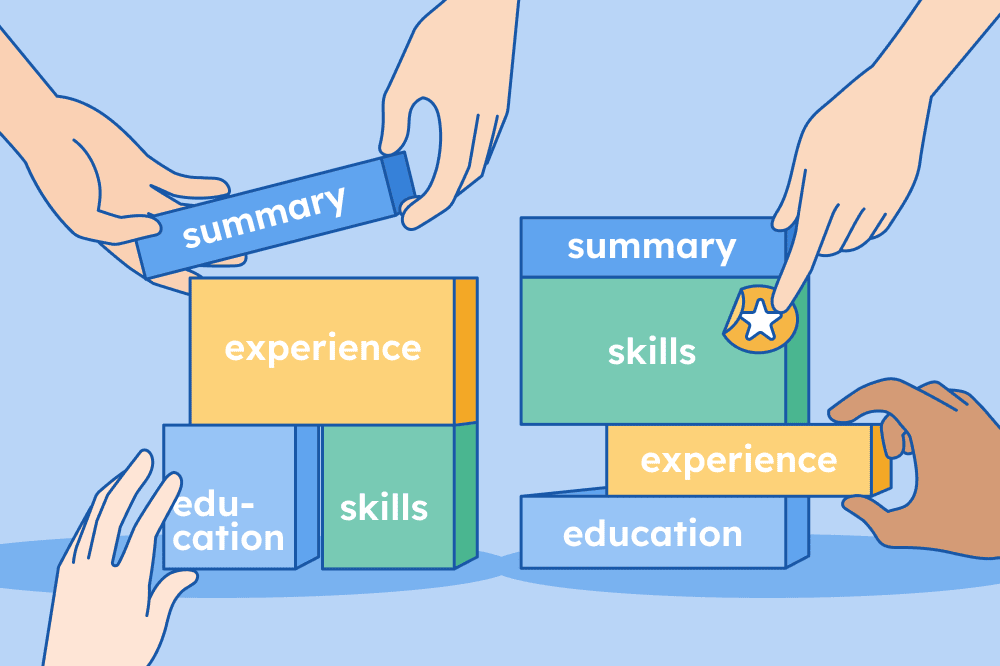
When you make your resume, it needs to be clear, easy to scan, and focused on your most marketable qualifications. We’ll walk you through the best formats for 2025, how to choose one, what to include, and the most common pitfalls to avoid.
Most common resume formats
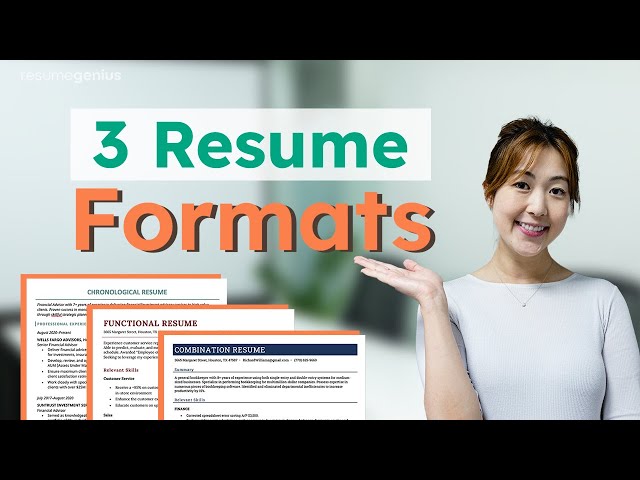
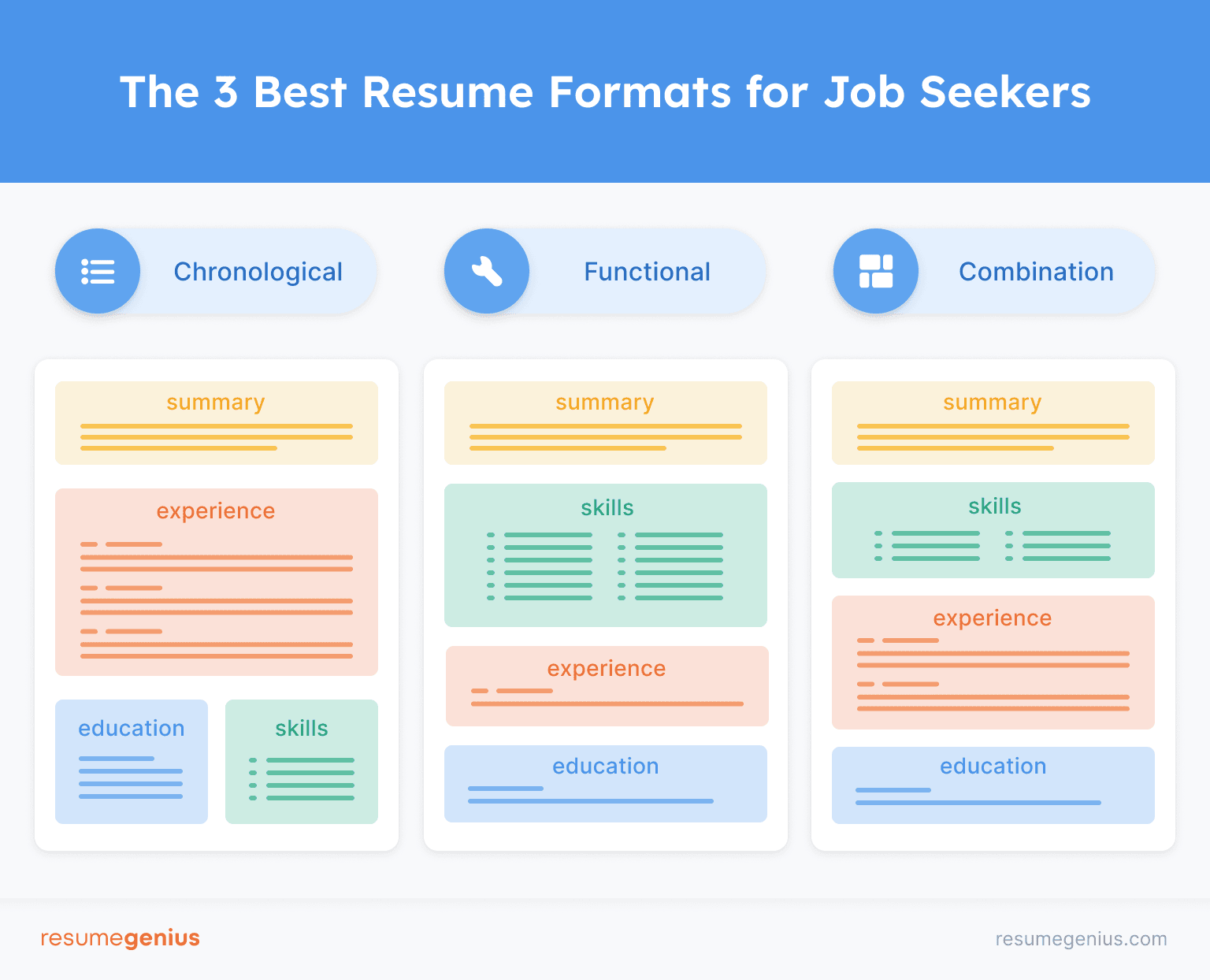
Three of the most commonly used resume formats are the chronological, functional, and combination formats. Below we’ll go over each one and provide a free template before introducing some additional formats.

Chronological resume format (experience-focused)
The chronological resume format is the most common type of resume and is widely used in the US. Think of it as the “default” format—it’s what everyone learns to write when they start looking for work.
The highlight of a chronological resume is your work experience, with your most recent position at the top. All other sections of your resume are smaller and usually listed toward the bottom of the page.
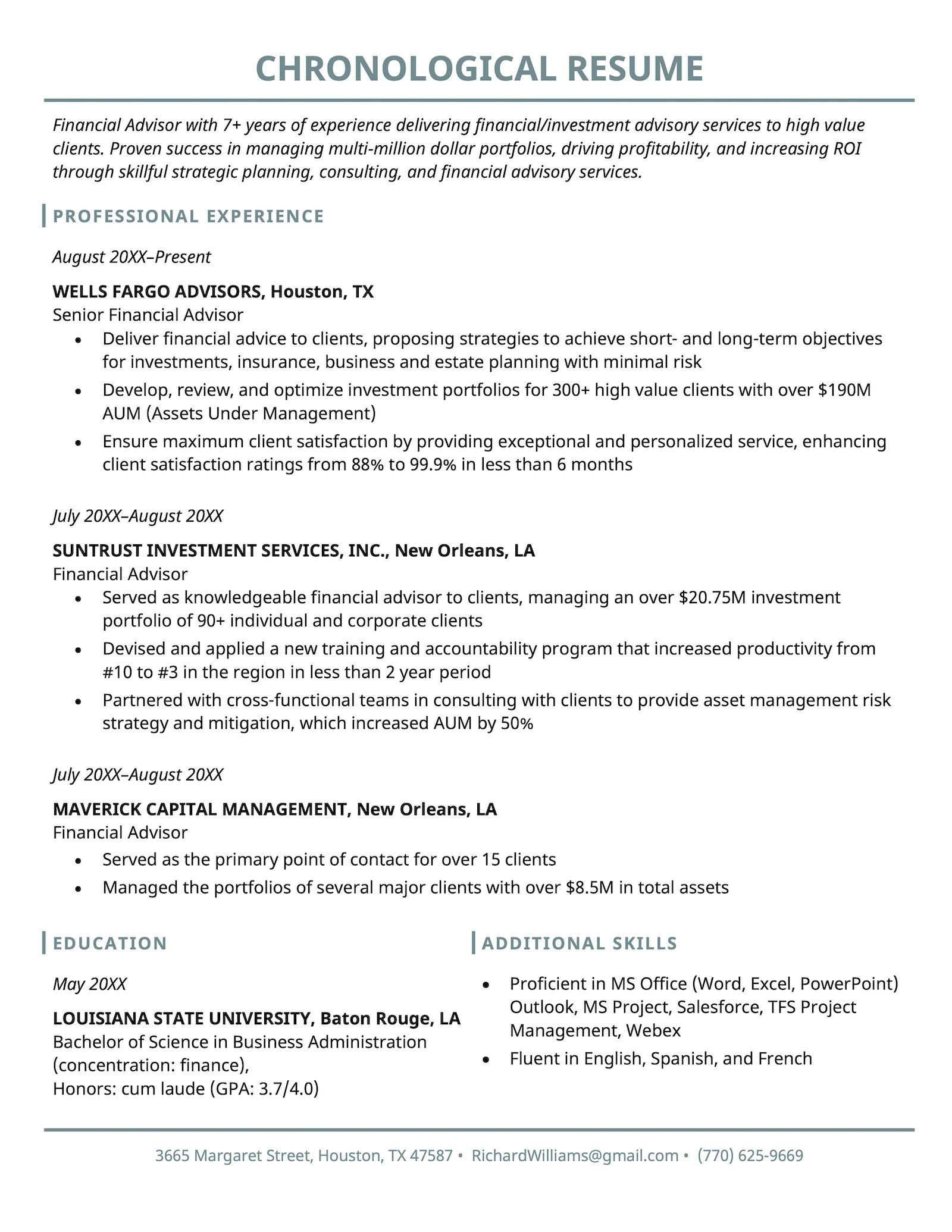
When to use this format: Whether you’re an experienced professional or just starting out in your career, the chronological format is a safe option.
Here’s how to structure a chronological resume:
1. Resume summary
Start with a brief overview of your professional background, highlighting key achievements and skills relevant to the role you’re applying for. Keep it concise—2–3 sentences are ideal.
2. Experience section
List your work experience starting with your most recent job. For each position:
Include your job title, employer name, location, and dates of employment.
Use bullet points to describe your responsibilities and accomplishments, emphasizing measurable results and relevant achievements.
3. Skills
Clearly list any technical skills you have that align with the job description.
4. Education
Include your highest degree first, along with the institution’s name, location, and graduation date. If you’re a recent graduate, you might also want to move this section higher up on your resume, and include relevant coursework, honors, or activities.
Functional resume format (skills-focused)
The functional resume format focuses heavily on your relevant skills instead of your work experience, which is why it’s also known as a skills-based resume.
Instead of outlining your work history chronologically, resumes using a functional layout feature a large skills section with your work experience grouped under related skills.
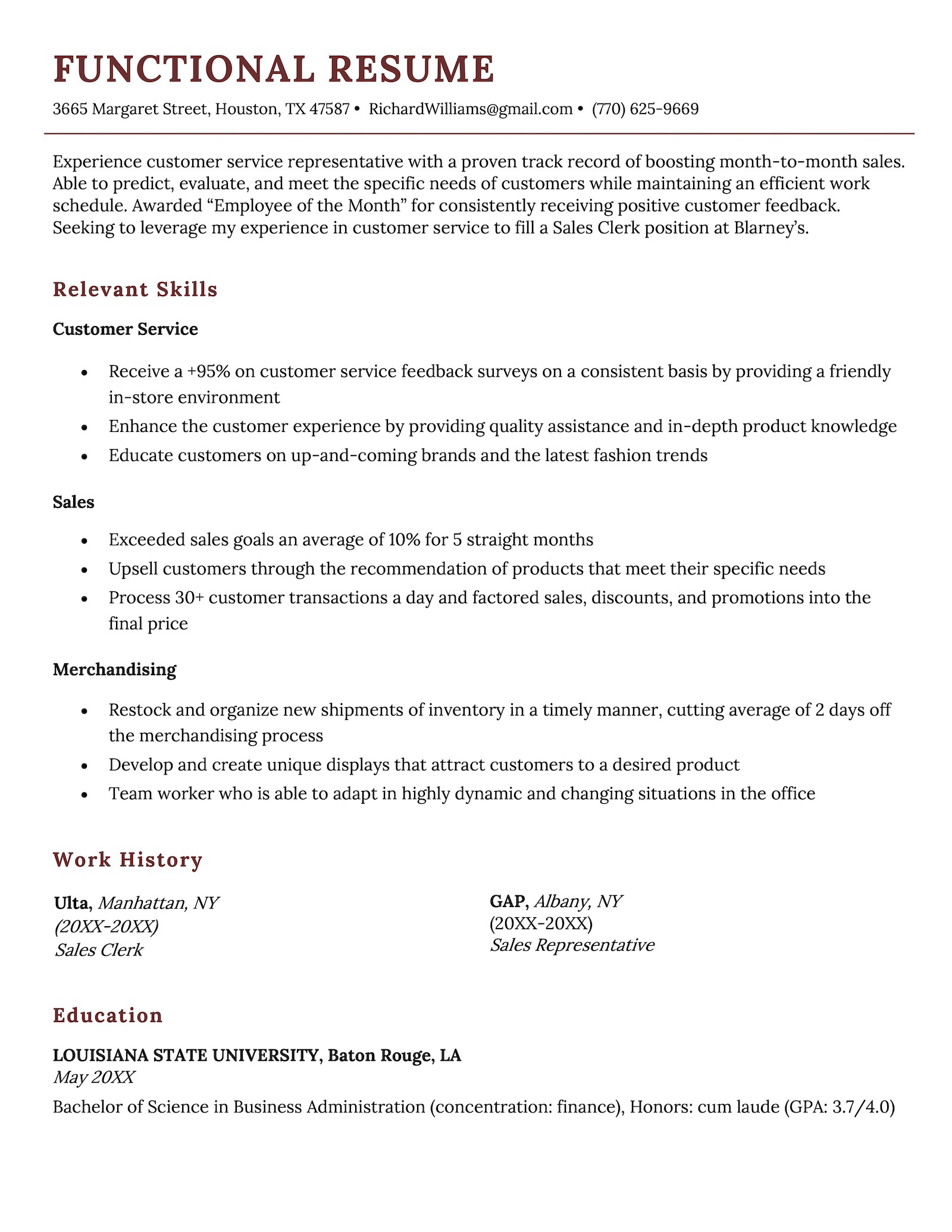
When to use this format: If you have large gaps in your career history and want to shift the focus to your transferable skills.
Combination resume format
A combination resume blends the structure of the chronological and functional resume formats.
Combination resumes:
- Lead with a big skills section (like a functional resume)
- End with a detailed work experience section (like a chronological resume)
If this seems like a lot of information to include, that’s the point. Combination resumes are best if you’ve developed many skills over a long, nonlinear career.
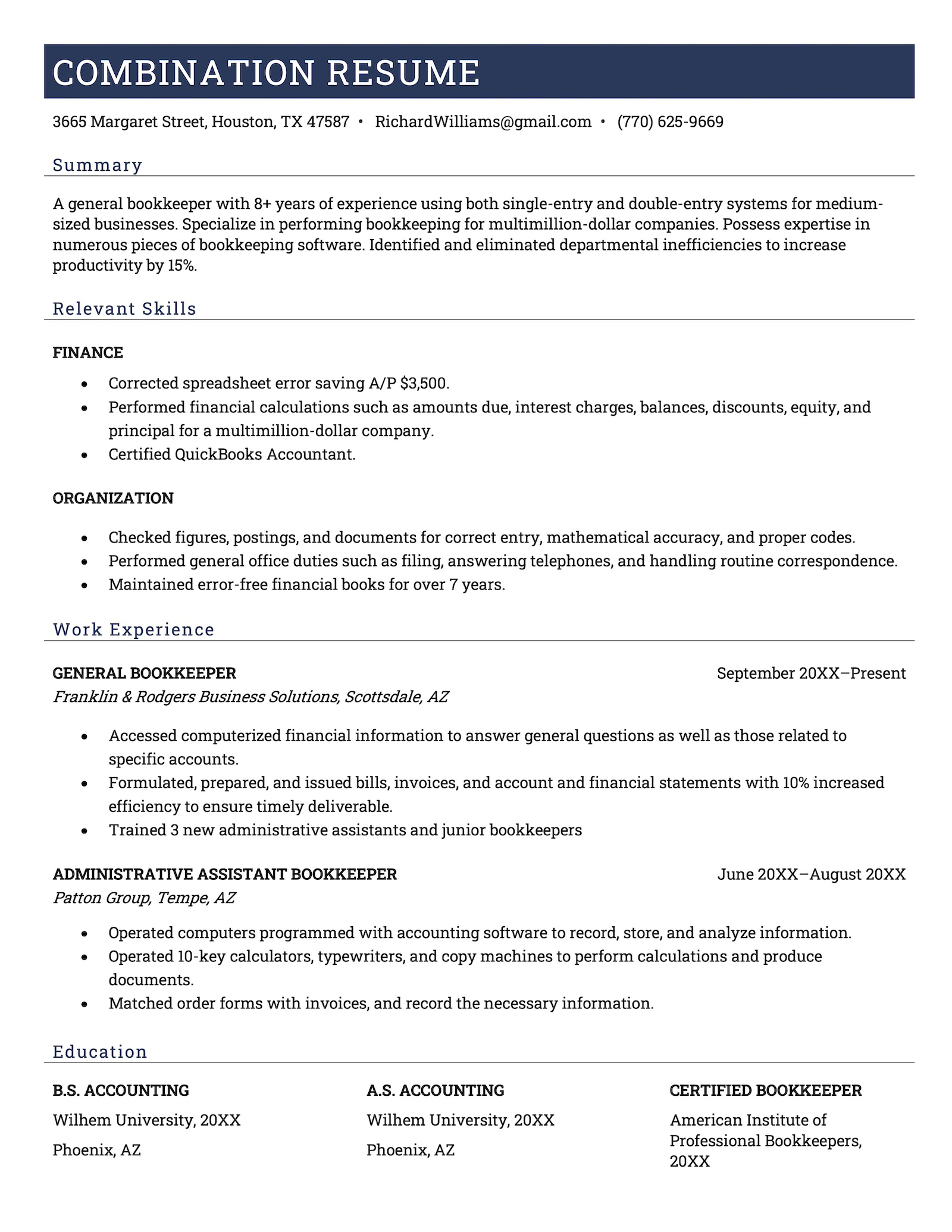
When to use this format: If you have a varied, nontraditional career and want to highlight both your transferable skills and work experience.
Additional resume formats
Even though the three formats above are the most common, there are a wide variety of ways to showcase your experience.
Here are some additional formats designed to suit more specific circumstances, such as the type of application, your industry, or your experience level.
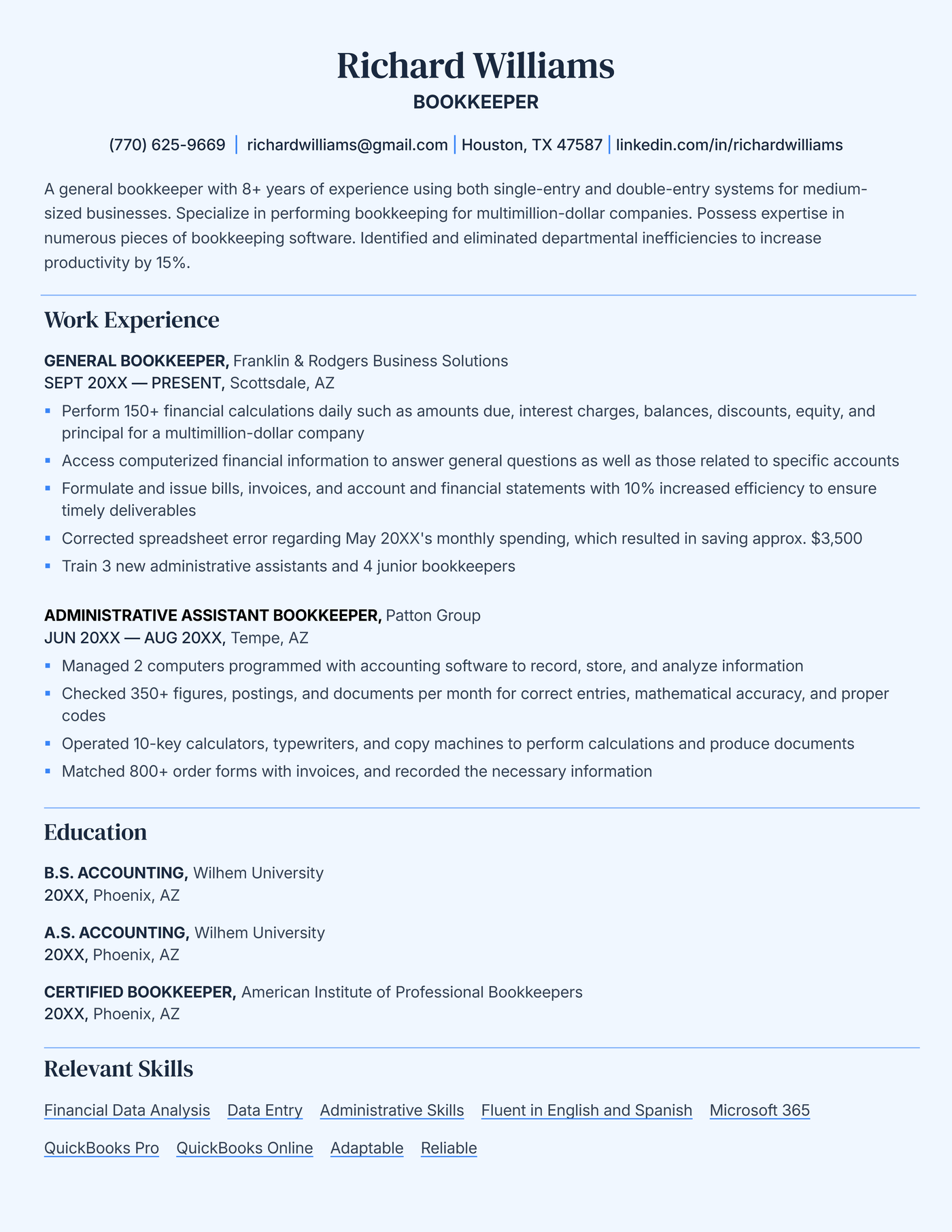
ATS-friendly resume format
If you’re sending out a lot of applications and applying through ATS software, use a format that’s easiest for the ATS to parse. Here’s a downloadable template you can use to make an ATS-friendly resume:
Academic CV format
If you’re pursuing a career in academia, you need to follow specific CV formatting conventions that are different from a traditional resume. Here’s a template you can download and start filling out with your own academic expertise:

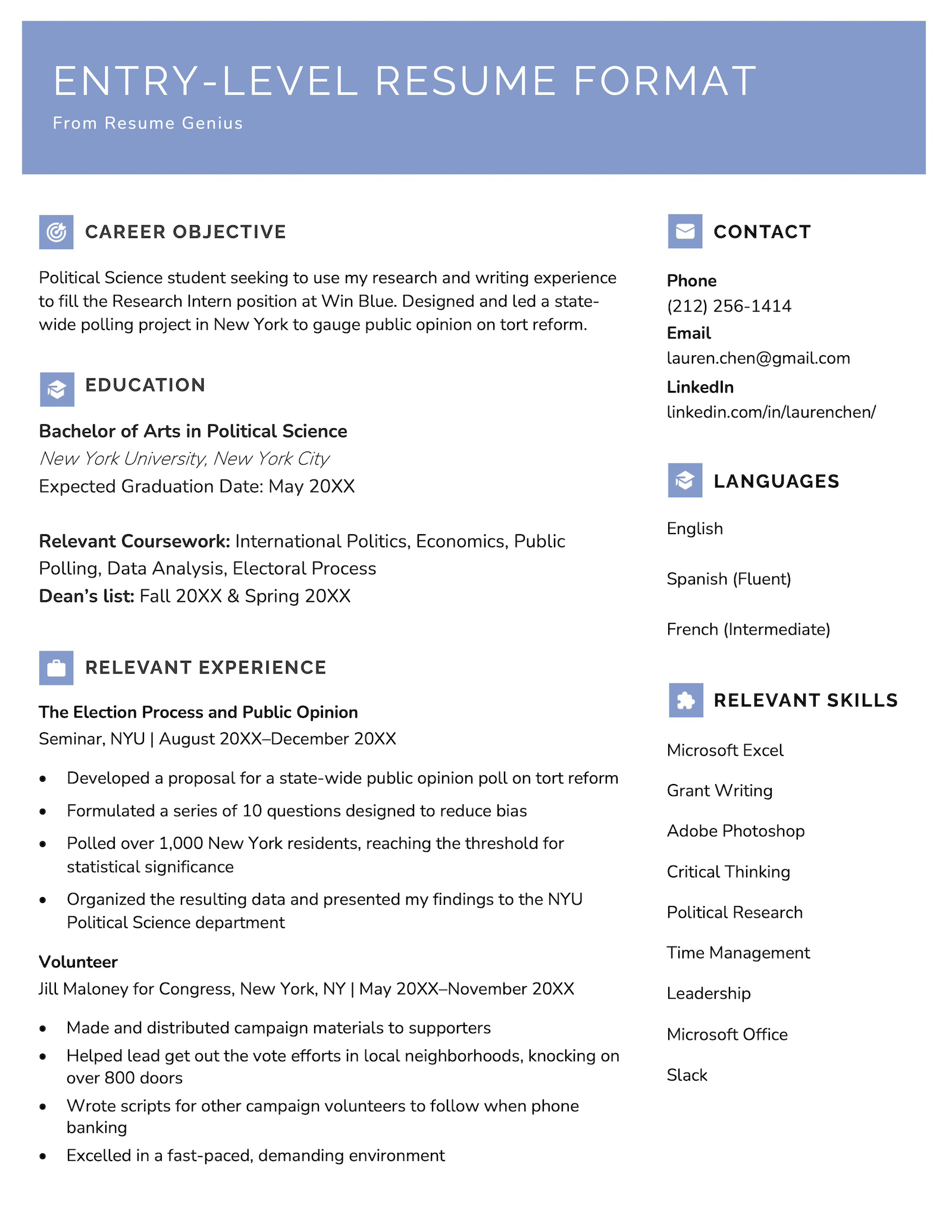
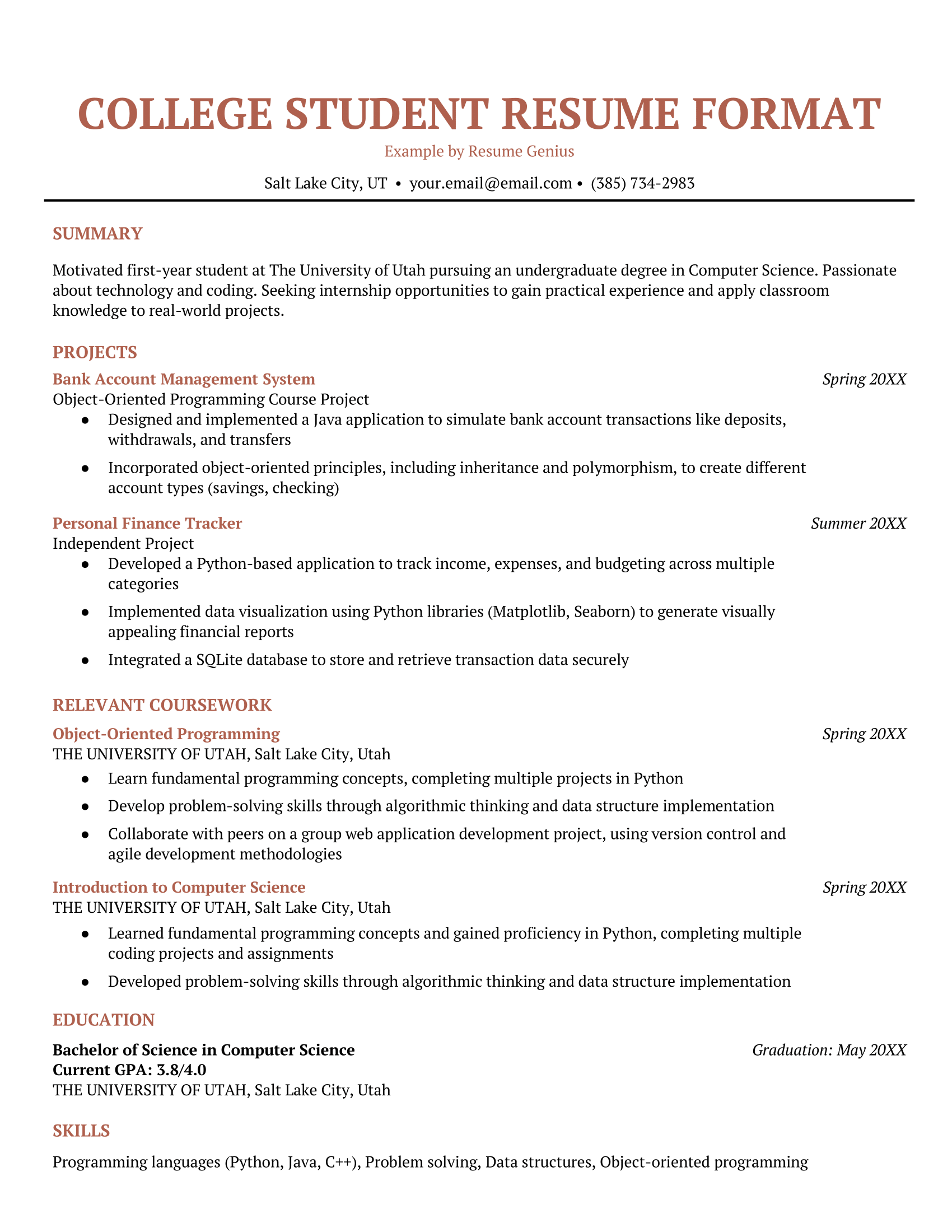
Entry-level resume format
If you’re like most students or recent college graduates, you don’t have much formal work experience yet, so your education is the core of your resume. This resume format accommodates that by prioritizing your education section.
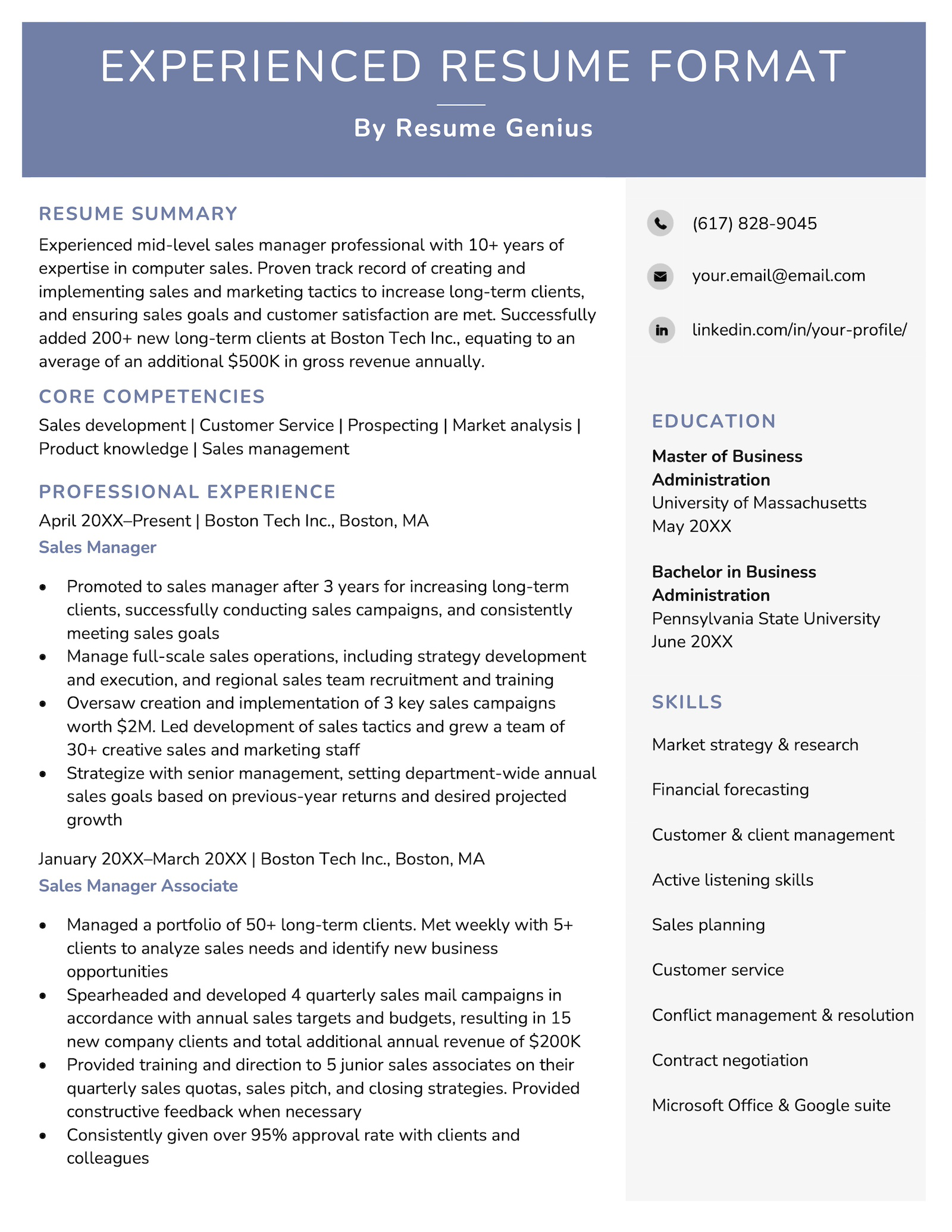
Experienced resume format
When you’ve built years of valuable experience, your resume format should reflect that.
This format features a core competencies section and provides plenty of space to highlight your professional achievements.
How to choose the right resume format
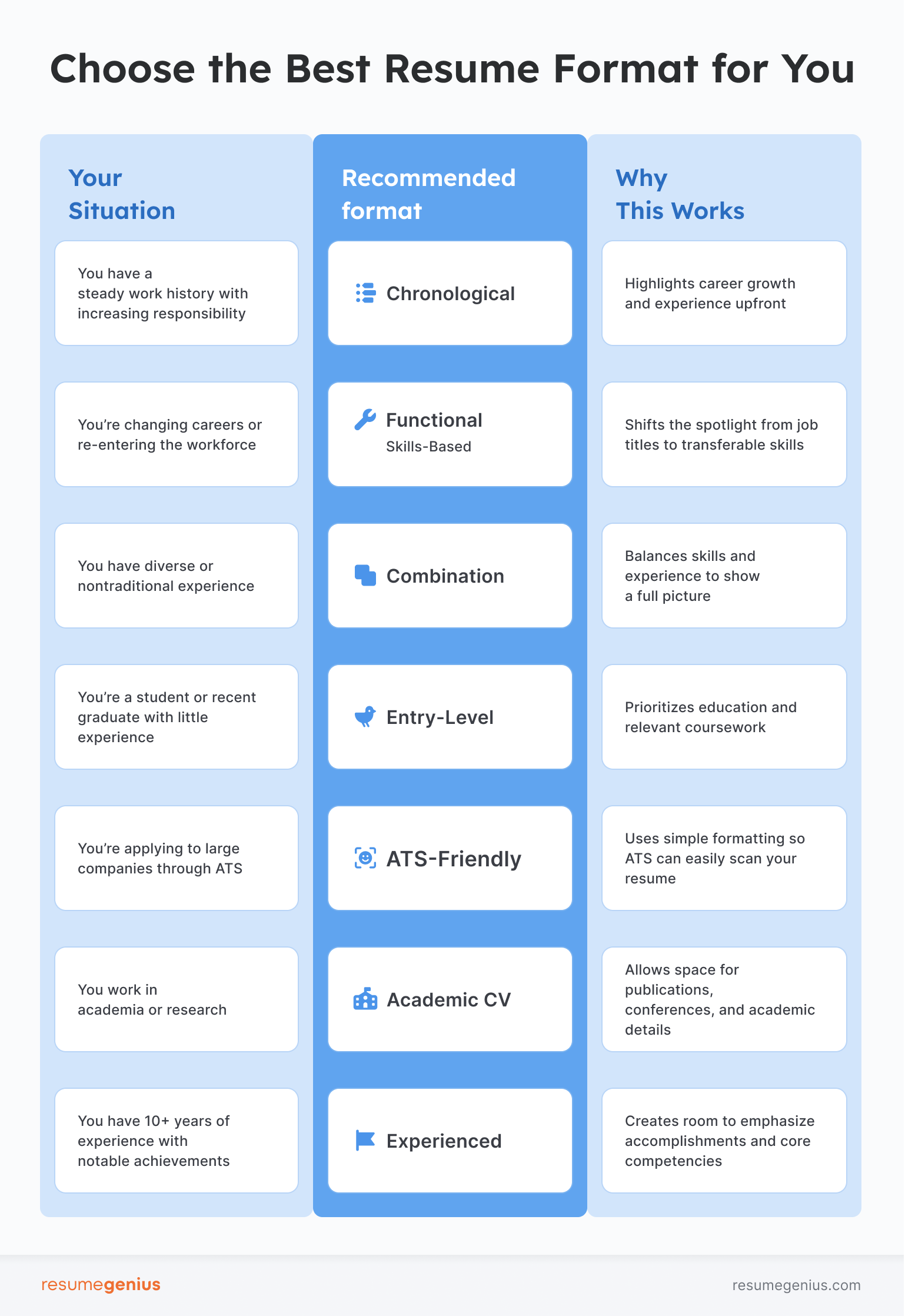
If you’re asking “What format should my resume be in?” – use this table below to quickly identify the best format for your situation:
Sections to include on your resume
Below are the core sections every resume needs, with examples and tips showing how to format each section on your resume.
Contact information
Knowing how to format contact information on your resume ensures hiring managers can reach you without confusion. Keep this section simple, professional, and place it at the top of your resume.
Here’s an example:
Emma Brooks
San Diego, CA • (555) 874-2291 • emma.brooks@email.com
linkedin.com/in/emmabrooks • portfolio: emmabrooksdesign.com
Here are some tips for an effective contact information section:
- Use a professional email address
- Include your LinkedIn and portfolio if relevant
- Only add your city & state
Resume summary
Your resume summary is a brief snapshot of your qualifications. Focus on writing 2–3 concise sentences that highlight your top skills and achievements.
Here’s an example of how to format your resume summary:
Results-driven Marketing Coordinator with 3+ years of experience supporting multi-channel campaigns for SaaS brands. Skilled in content strategy, analytics, and cross-functional collaboration. Improved lead conversion by 28% in 2024.
Education
If you’re early in your career, knowing how to format education on your resume can help strengthen your qualifications — especially if you lack professional experience.
Here’s how to highlight your academic achievements:
Education
B.A. in Communications
University of Oregon, Eugene, OR
Graduated: May 2024Relevant Coursework: Digital Marketing, Branding Strategy
Honors: Dean’s List (2022–2024)
Work experience
Hiring managers pay close attention to this section — so understanding how to format work experience on your resume is key. List your roles in reverse-chronological order and use bullet points to show impact, not just duties.
Here’s an example:
Work Experience
Marketing Assistant | BrightWave Media | Portland, OR
June 2022–Present
- Coordinated 12+ product campaign launches across email and social media
- Increased Instagram engagement by 45% by implementing a new content calendar
- Analyzed audience trends to optimize ad spend, reducing costs by 18%
Skills
When deciding what skills to include on your resume, keep the list relevant to the job you’re applying for. If you have different sets of skills you want to add in, try organizing them into categories to save space.
Here’s how to format skills on your resume:
Skills
Technical: Google Analytics, HubSpot, Canva, Salesforce
Marketing: SEO, A/B Testing, Email Campaign Strategy
Project management: Asana, Trello, Jira, Slack, Google Workspace
Certifications
Including certifications can set you apart — especially in technical or licensed fields. Here’s how to format certifications on your resume so they’re easy to find and verify:
Certifications
Google Analytics Certification — Google, 2024
CPR & First Aid Certified — American Red Cross, Expires 2026
Resume formatting guidelines
Your resume’s content is ultimately what will get you interviews. However, minor details like your resume’s margins, line spacing, and text alignment ensure your resume is professional and easy to read – allowing hiring managers to focus on what matters: your qualifications.
Follow these resume formatting rules to make sure your resume looks good before you send it off:
Left-align the content
Left-aligning content makes it easy to scan your resume. However, if it helps you save space, right-aligning small details on your resume is acceptable
Use 1″ margins
In most cases, you should use 1” margins on your resume. However, anywhere between ½”–1″ is acceptable.
Select a professional, easy-to-read font
Your resume font should be professional and easy to read. The best fonts for your resume are commonly used fonts like Times New Roman or Calibri.
Keep your font between 10 and 12 points
A 10-12 point font will ensure your resume is readable and space efficient. Use a larger font for your name and section headers.
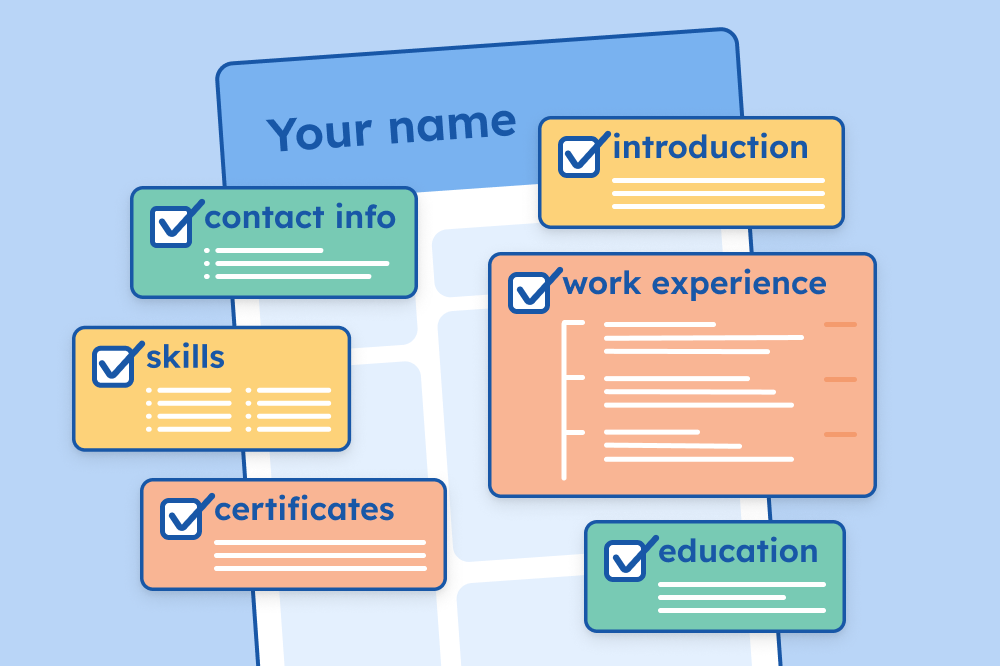
Include these five key resume sections
Add your:
- Contact information
- Resume summary
- Experience
- Skills
- Education
Choose a date format and stick to it
Most job seekers state the month and year they began employment somewhere, followed by a dash and then the end date (or “Present” if the position is ongoing), like this: May 20XX – August 20XX.
Use bullet points to describe your work experience
Below the company name, job title, and dates of employment, each work experience entry should include 2-6 concise bullet points highlighting your key professional accomplishments.
Use the correct verb tense
When describing your work at current roles, use present tense, and when describing your work in previous roles, use past tense.
Leave out first-person pronouns
To save space, your resume should always be written in an implied first person perspective, meaning that you describe your responsibilities and accomplishments as your own, but without the “I” or “me.”
Keep your resume to an appropriate length
The ideal resume length for most people is one page, especially if you’re a recent graduate or have less than five years of work experience.
Check your resume for formatting issues
Even if you follow these guidelines perfectly, small errors can still slip through.
Before submitting your application, verify that your documents are machine-readable and error-free using an online resume checker.
Simply upload your resume and our software will scan your document against industry standards, identify formatting problems, and give you a score so you know exactly what to fix to increase your interview chances.
Common resume formatting mistakes
Formatting mistakes can distract from your experience and skills. Avoid these common errors:
- Inconsistent formatting: Using different font styles, sizes, date formats, or spacing throughout your resume makes it look unprofessional and disorganized.
- Overly fancy design: Decorative elements like graphics, borders, or multiple columns can be distracting and take attention away from your content.
- No clear section hierarchy: When headings and subheadings aren’t distinct, it’s difficult for readers to quickly find important information like work experience or education.
- Overcrowding the page: Filling every inch with text leaves no white space, making the resume feel overwhelming and hard to scan.
- Inappropriate font or font size: Fonts that are too small, too large, or hard to read can make your resume difficult to navigate and appear less professional.
Free resume templates
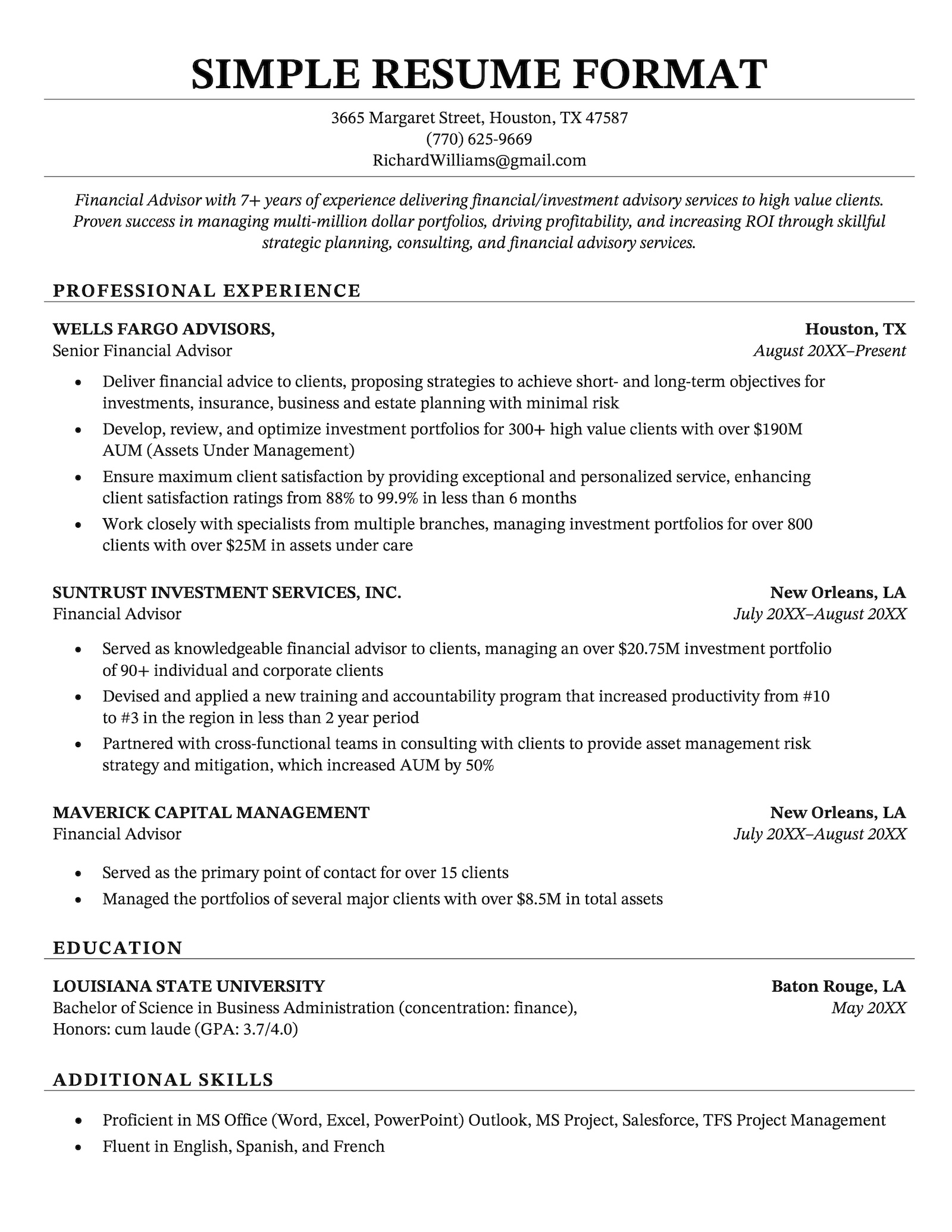
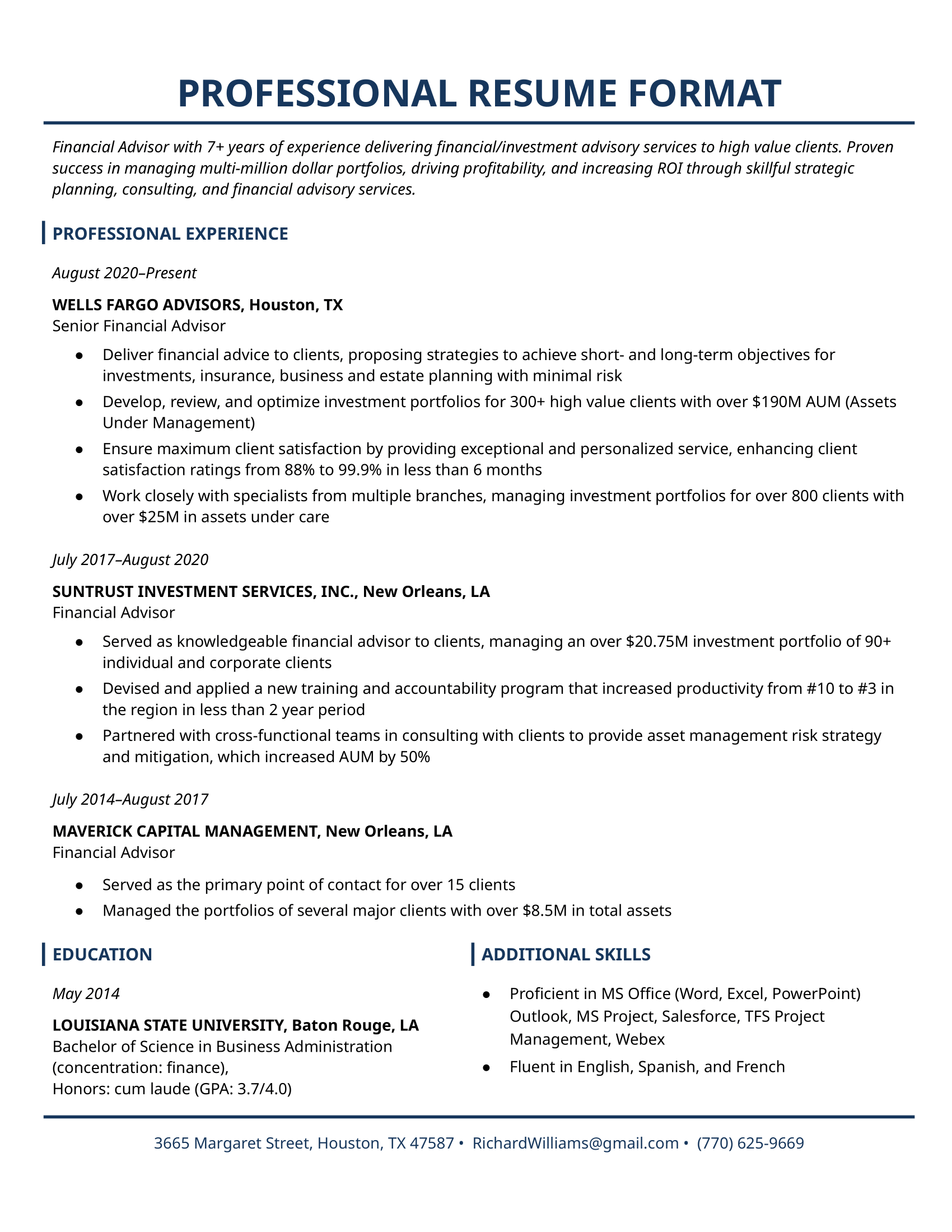
Choose from these popular downloadable templates to get started with a resume that’s already perfectly formatted:

Additional resume resources
Here are some extra resources to help you get started:
Build your resume in minutes

Frequently asked questions
Now that you know a bit more about how to format your own resume, here are some frequently asked questions about resume formats:
What is the best resume format for 2025?
A chronological resume format is the best choice for most job seekers.
The chronological format’s clarity and familiarity make it the safest and most effective choice for the majority of job applications.
Its straightforward timeline helps recruiters quickly assess your experience level and growth, while its traditional structure ensures that applicant tracking systems properly parse your resume.
@resumegenius Wondering which resume format you should be using? Here’s an explanation of the 3 main resume formats, and which kind of job applicant each format is suitable for. To increase your chances of getting hired, it’s important to choose a resume format that highlights your strengths and minimizes your weaknesses/career red flags! #resumeformat #resumehelp #resumetip #jobsearch ♬ original sound – Resume Genius | Career Tips
Should I use a template or format my resume from scratch?
Using a template can be a great shortcut to creating a well-organized, professional-looking resume. Many resume templates offer a clear structure with consistent formatting, which helps highlight your experience, education, and skills effectively.
On the other hand, formatting your resume from scratch allows for complete customization. This can be useful if you want to create a unique layout that better reflects your background or target industry. If you choose to format your resume from scratch, take extra care to make sure everything looks consistent.
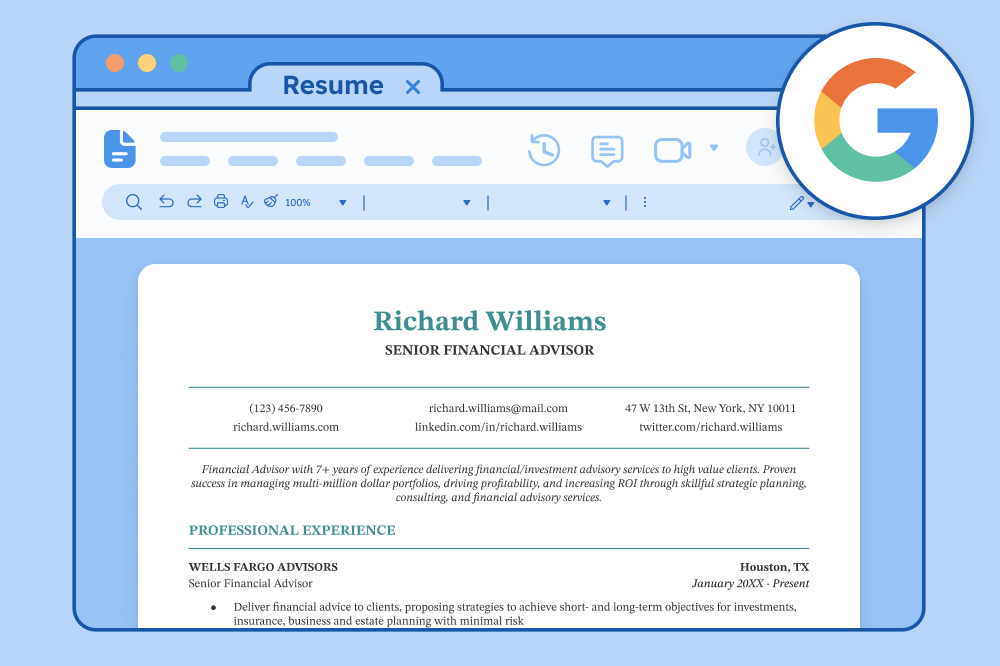
How do I format a resume in Google Docs?
Google Docs provides free templates you can copy and use. Here’s how to format a resume in Google Docs:
- Open Google Docs and go to Template Gallery
- Choose a resume template or create a blank document
- Follow our resume formatting guidelines above
- Download your final version as both PDF and .docx
How do I format a resume in Word?
To format a resume in Word:
- Start with a Microsoft Word resume template
- Set 1″ margins and use a clean, professional font (e.g., Calibri or Times New Roman)
- Use built-in styles for headings and bullet lists to keep formatting consistent
- Download your final version as both PDF and .docx
How do I format a resume for ATS?
To format a resume for ATS, follow these simple guidelines:
- Use a simple, single-column layout
- Avoid tables, text boxes, images, and icons
- Stick to standard section headings (e.g., “Work Experience” not “Career Story”)
- Include relevant keywords from the job description
- Submit your resume as a PDF or .docx file
What file format should my resume be in?
If you’re wondering what file format to use for your resume, it’s good practice to have both a:
When you create a resume in Word, you can then export it as a PDF file so that you have both. Then, you can choose which to submit based on the instructions in the job ad.
If there aren’t any instructions, then choose a Word document when applying to large companies (Word files make your resume more ATS friendly), and a PDF format when you want to make sure the formatting of your resume is preserved across any device.
How do I format references on a resume?
In general, we advise against including references on a resume as it’s no longer the norm. However, there may be some circumstances where it’s appropriate or required (for example if you’re writing an academic CV). Here’s how to format references on your resume:
References
Laura Jimenez
Marketing Director, BrightWave Media
laura.jimenez@brightwavemedia.com
(555) 298-1447
Relationship: Former Supervisor














Facebook
Twitter
Linkedin
Pinterest
Reddit
Copy link